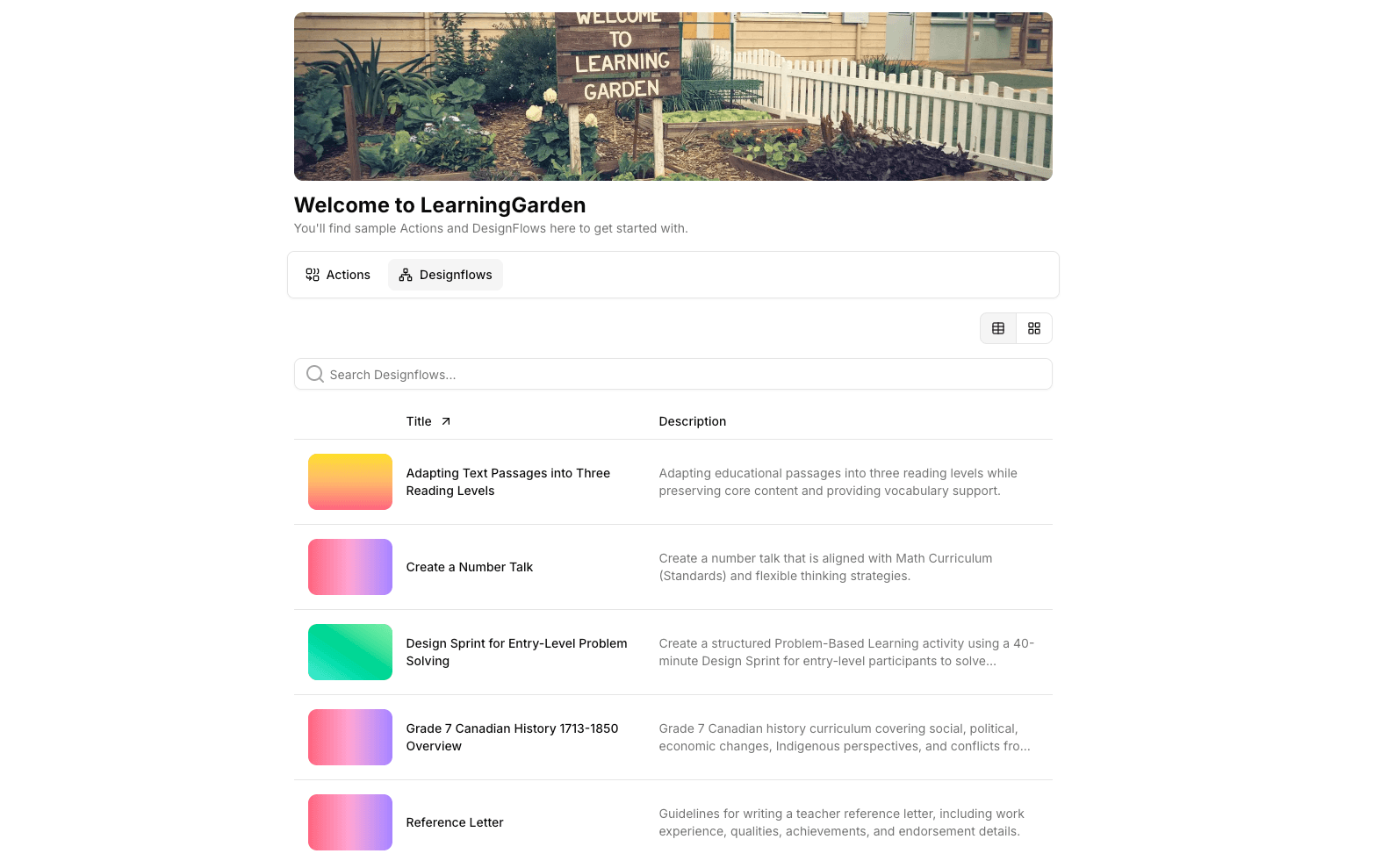
For teachers, teams, and instructional leaders

You didn't go into teaching to spend thousands of dollars on TPT resources.

LearningGarden turns your best ideas into reusable Actions and visual Designflows so the rubric, the parent email, the differentiated warm-up, and the exit ticket are ready before your coffee gets cold. It's your AI co-worker, your lesson library, and your grade-level team's shared brain in one place.

See how it works
  • AI co-worker in your sidebar
  • Reusable Actions & Designflows
  • Your grade-level team's shared brain
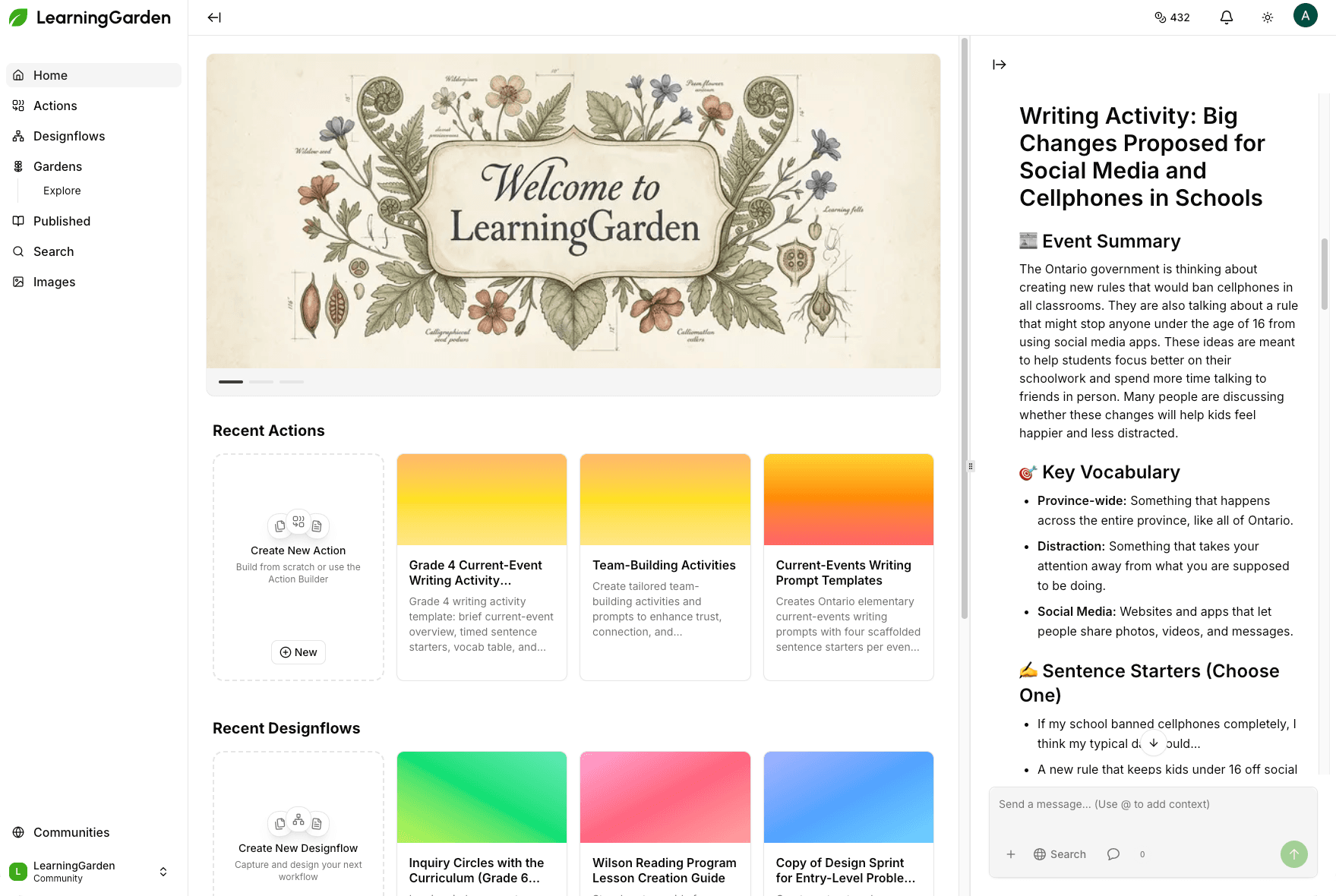
Vintage botanical illustration banner with the text 'Welcome to LearningGarden'.

Built for the way teachers actually plan.

Four shifts that turn AI from a novelty into a daily habit — one that gets you home early.

Save Time

Stop re-prompting. Build an Action once and run it in two clicks every Monday morning. Chain Actions into a Designflow and your evenings and weekends comes back.

Boost Engagement

Generate custom reading passages about your students’ actual interests. Spin up classroom visuals in dozens of styles for slides, anchor charts, and story prompts.

Differentiate Easily

Variables in every Action mean one prompt becomes twenty versions. Swap grade level, reading level, IEP accommodations, language, or topic in a form — not a rewrite.

Track Progress

See your Recent Actions and Recent Designflows on your home dashboard. Publish to your grade-level Garden and watch view, download, and generation counts climb.
Create classroom resources and visuals with ease.

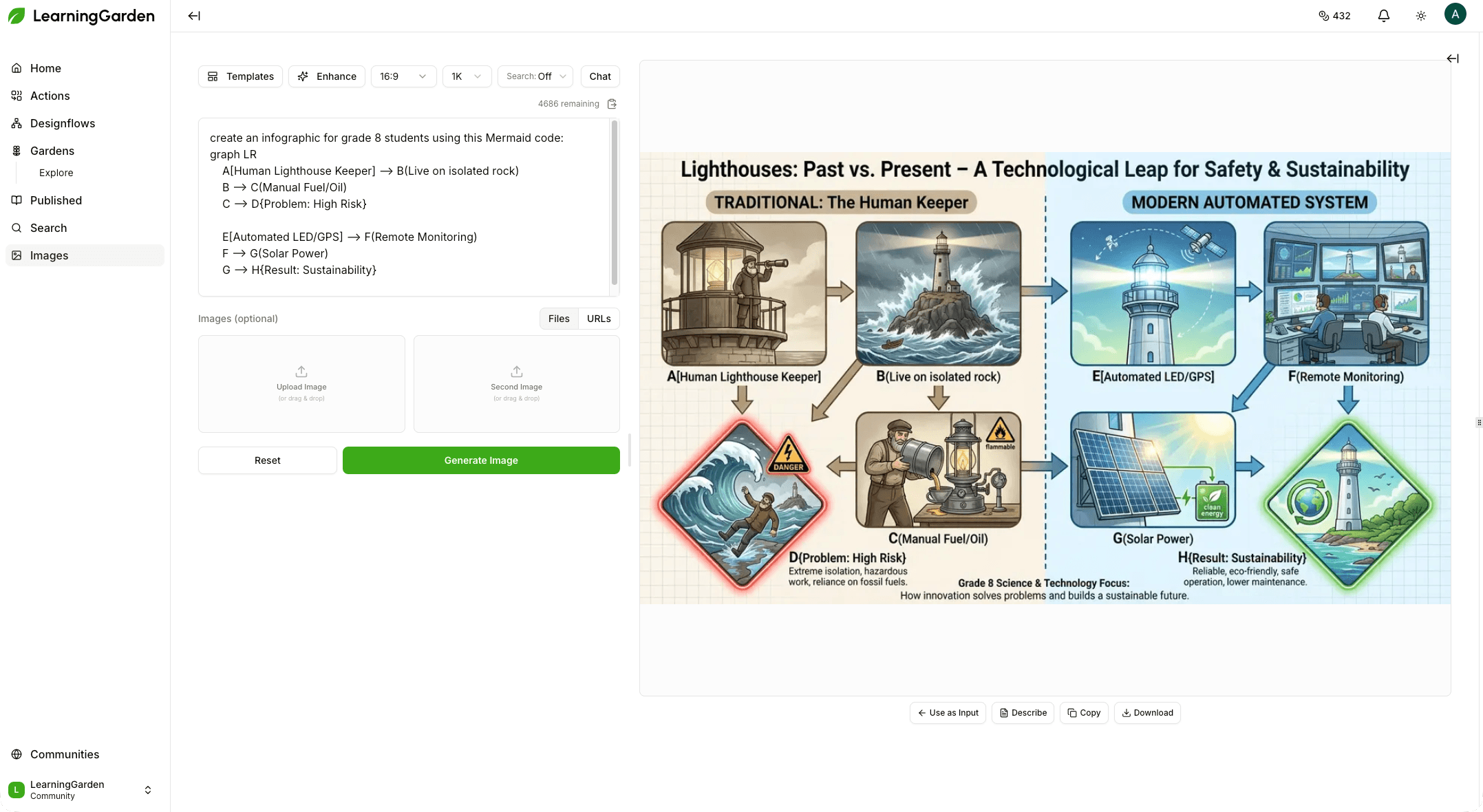
Use the Image Designer to generate instructional visuals, handouts, slides, and more. Create in almost any language.

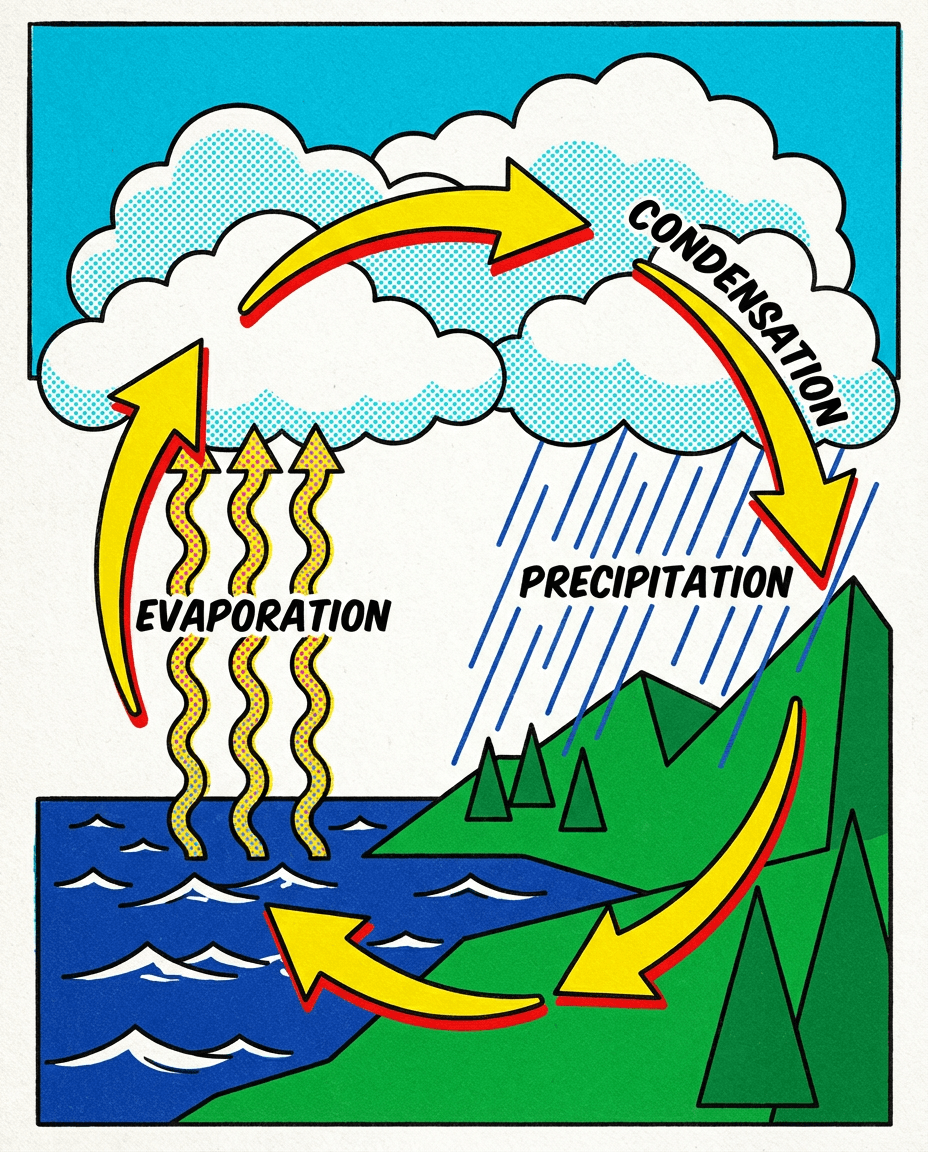
A colorful science visual that labels evaporation, condensation, and precipitation to help students understand the stages of the water cycle.
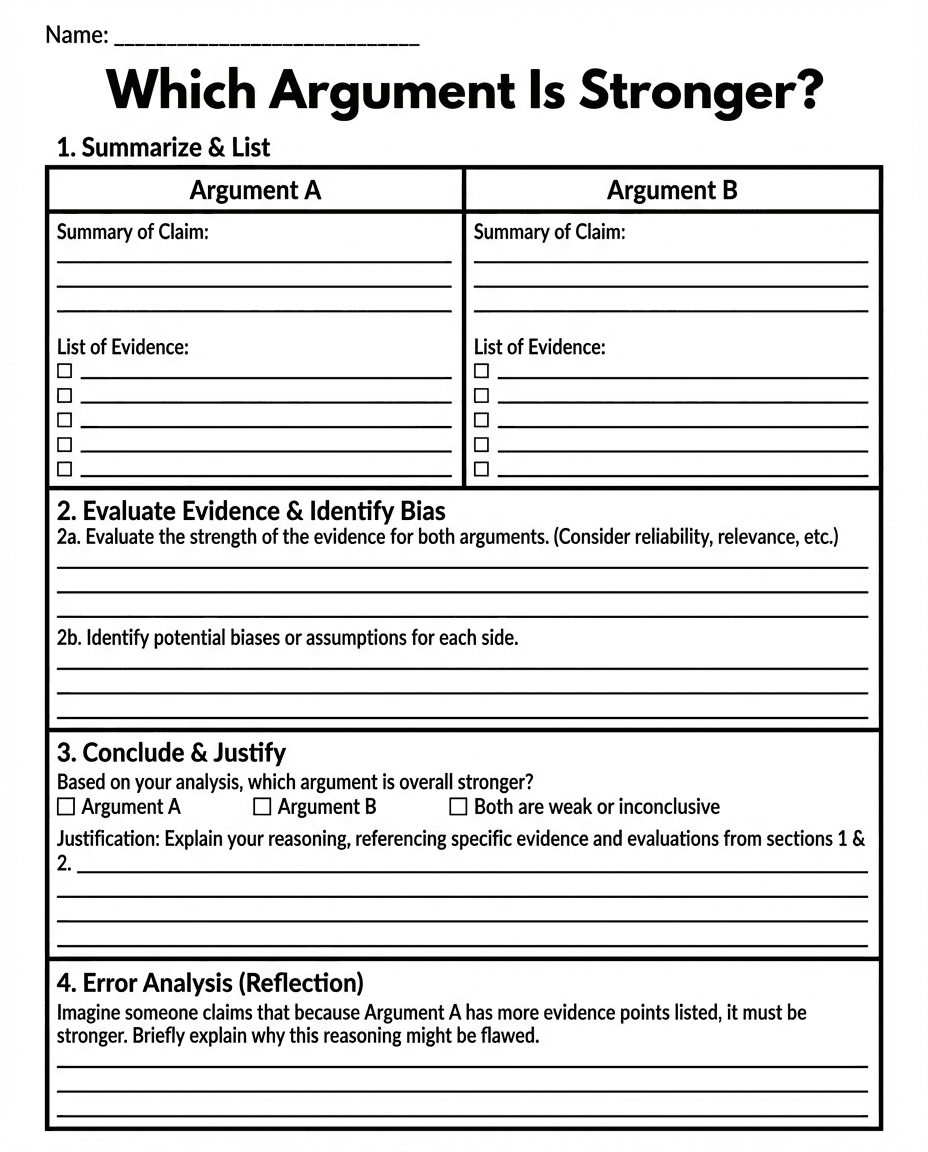
A structured literacy worksheet that guides students in comparing two arguments, evaluating evidence, identifying bias, and writing a justified conclusion.
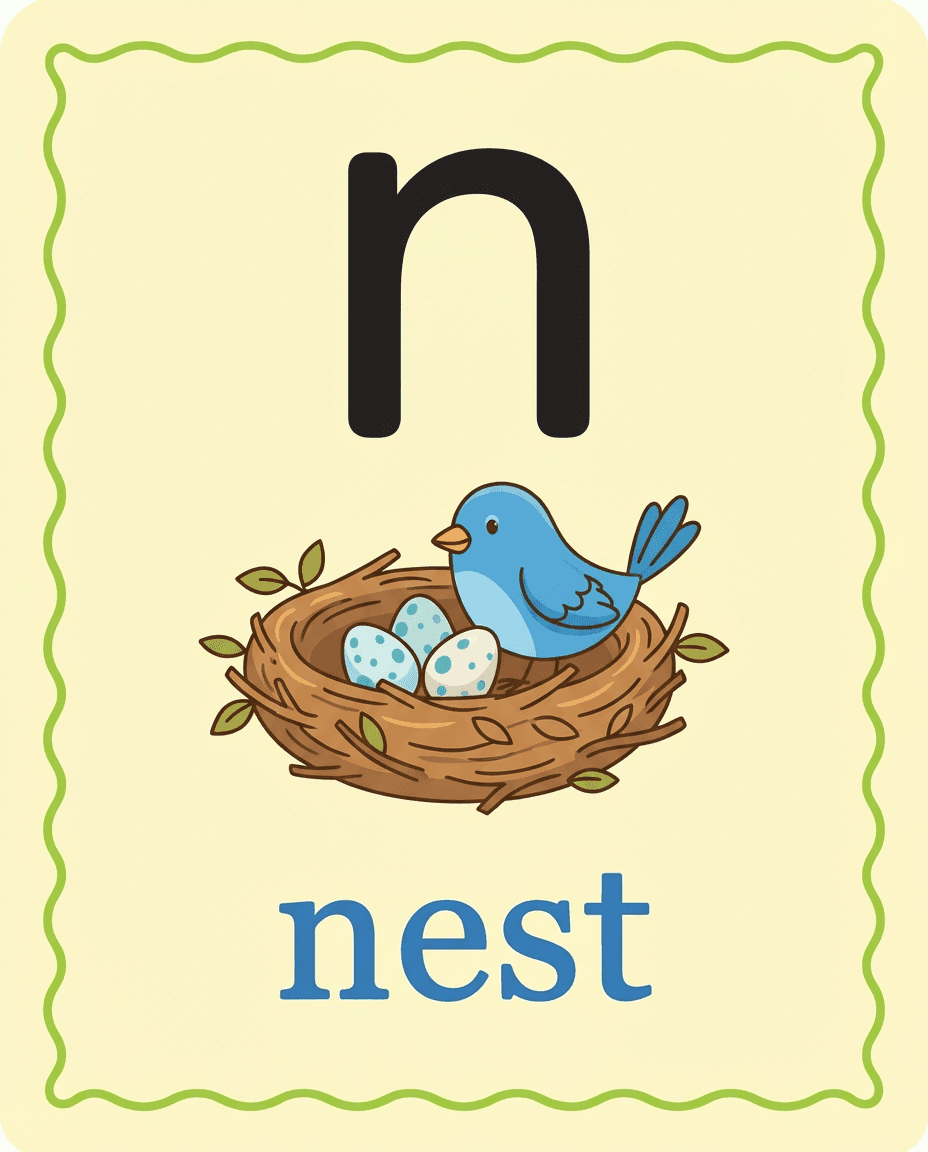
An early literacy phonics card that pairs the lowercase letter n with the word nest and an illustration to reinforce letter-sound recognition.
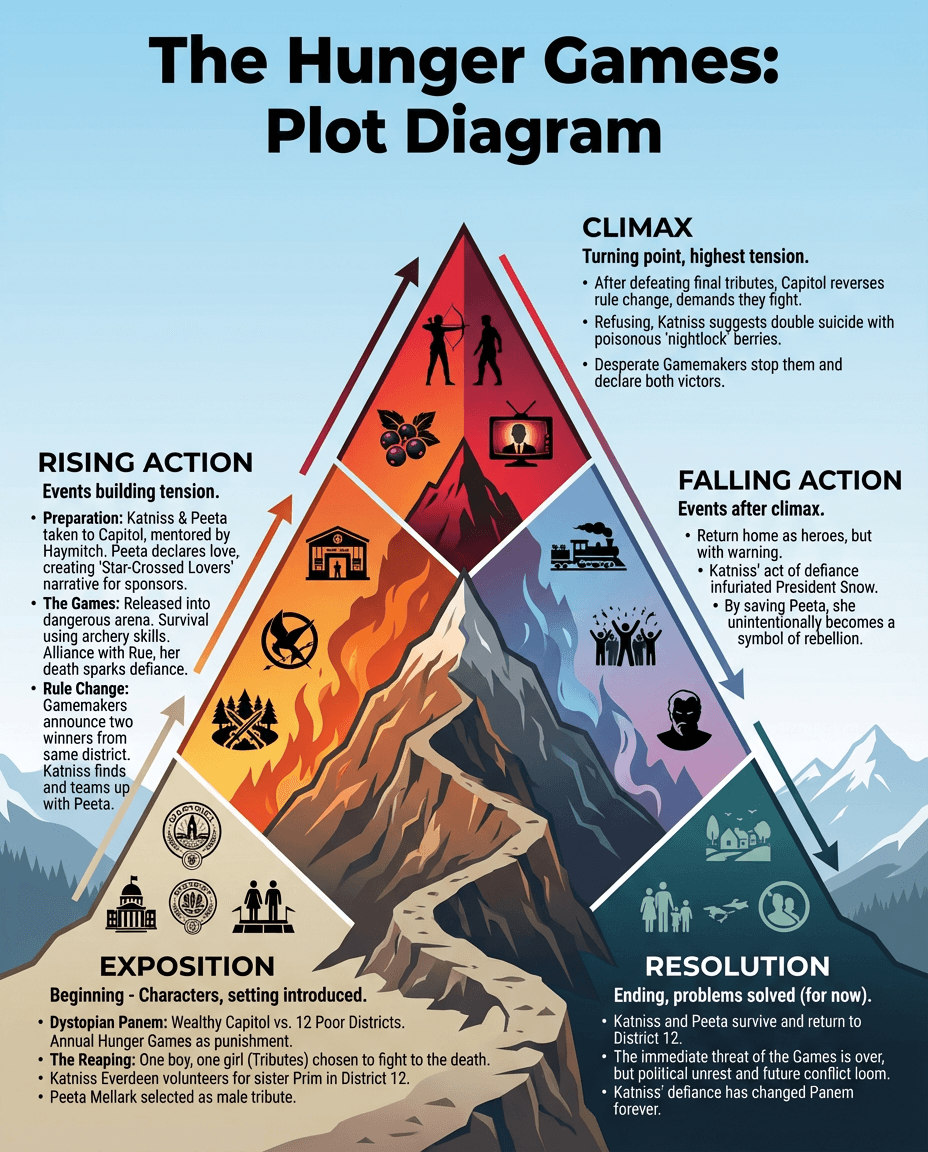
A literary analysis poster that maps exposition, rising action, climax, falling action, and resolution using The Hunger Games as the example text.
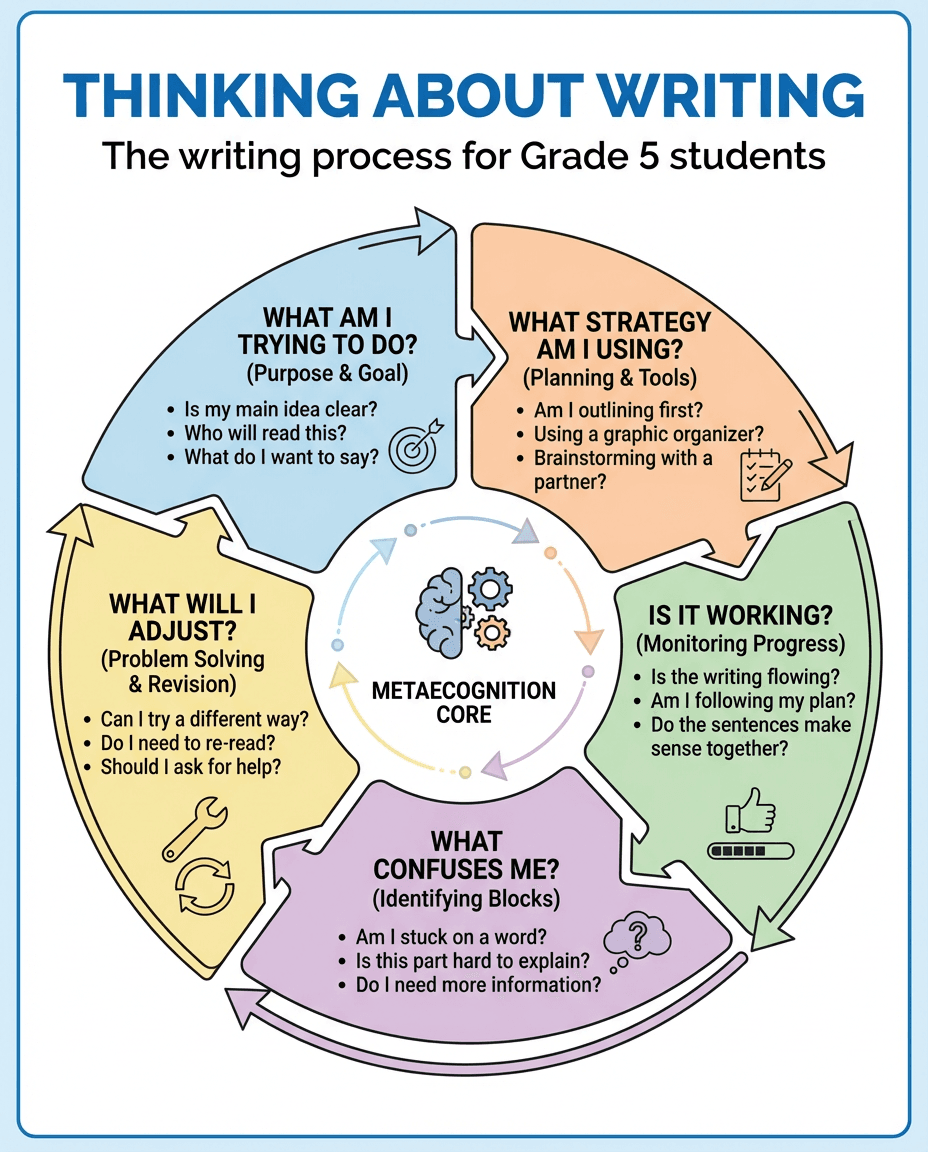
A metacognition anchor chart for grade 5 writing that prompts students to plan, monitor progress, revise, and reflect throughout the writing process.
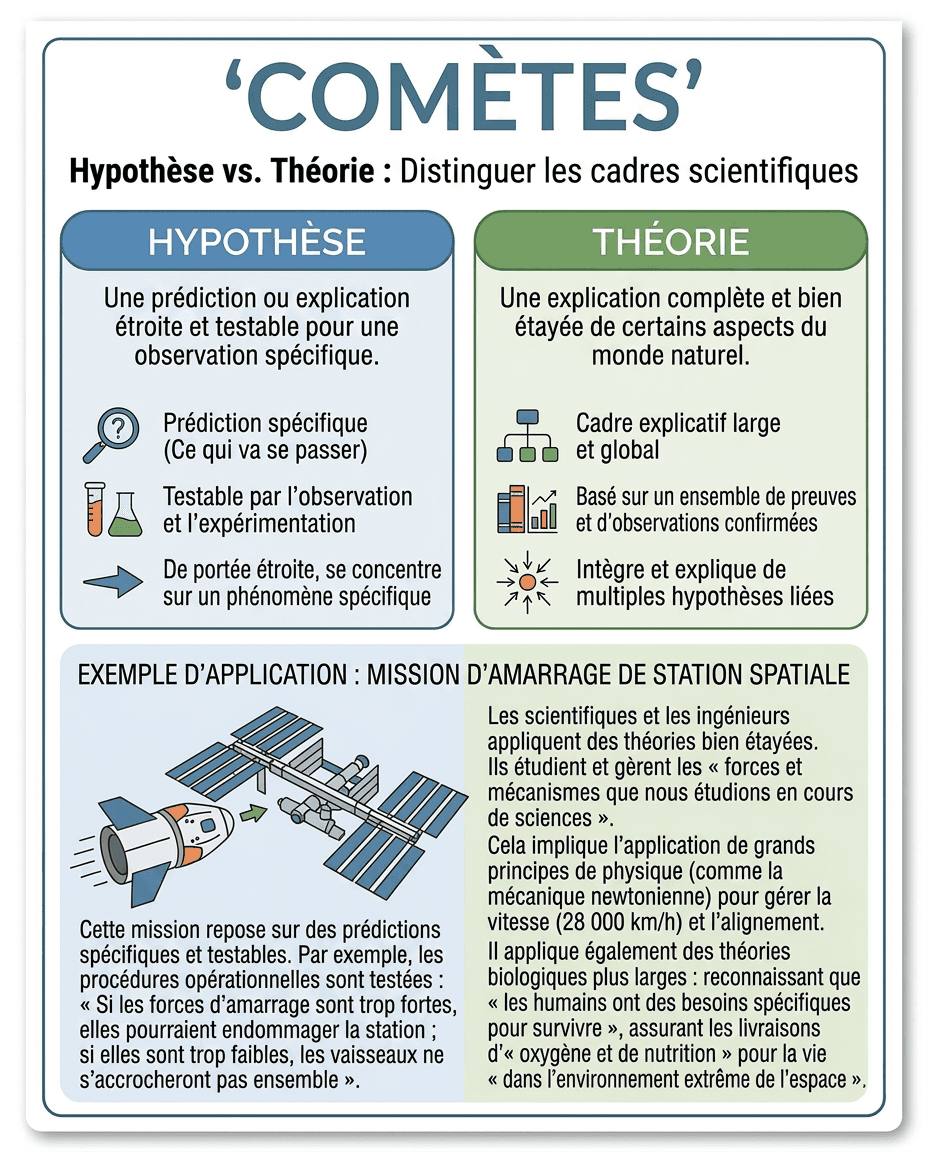
A French-language science poster that contrasts hypothesis and theory through a space mission example, helping students distinguish testable predictions from broader scientific explanations.
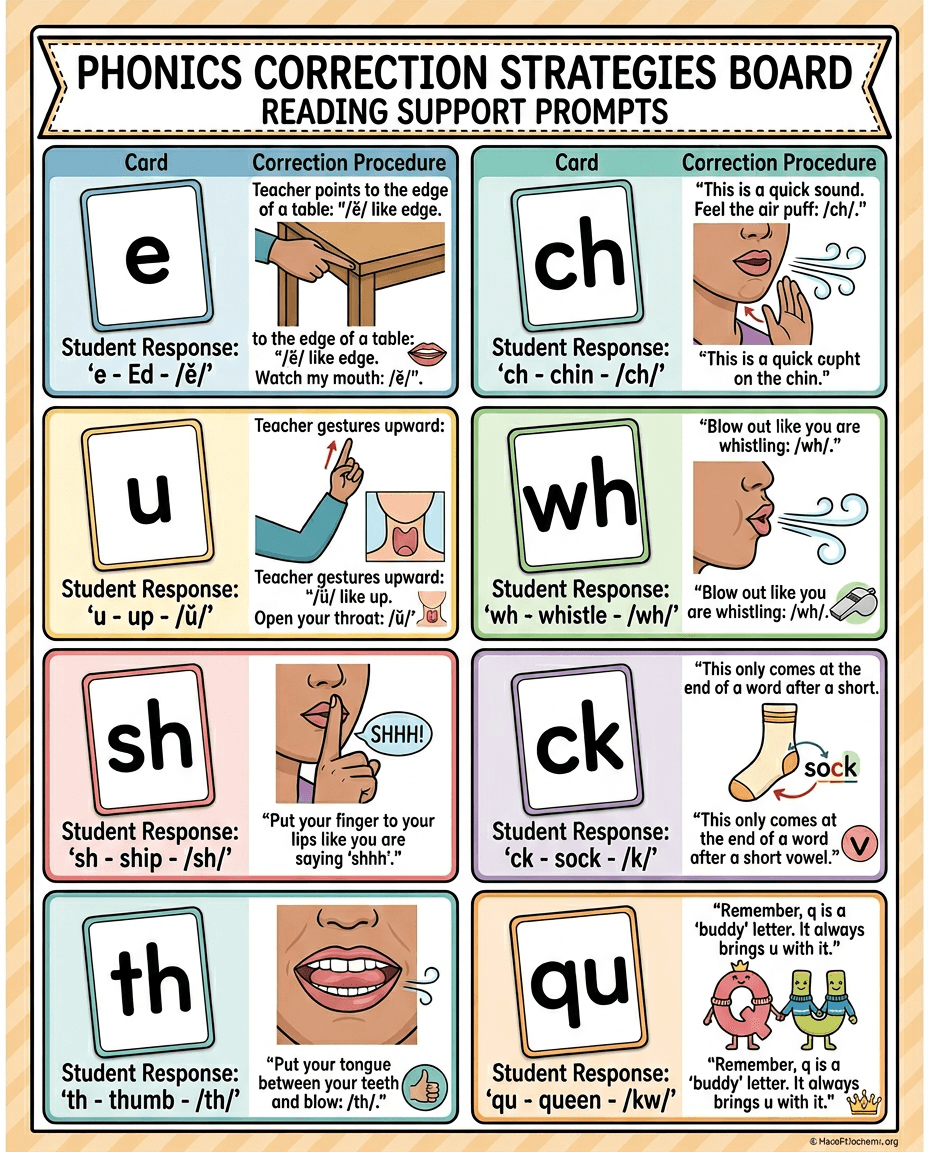
A reading support chart that shows teacher prompts and articulation cues for phonics patterns such as e, u, ch, wh, sh, ck, th, and qu.
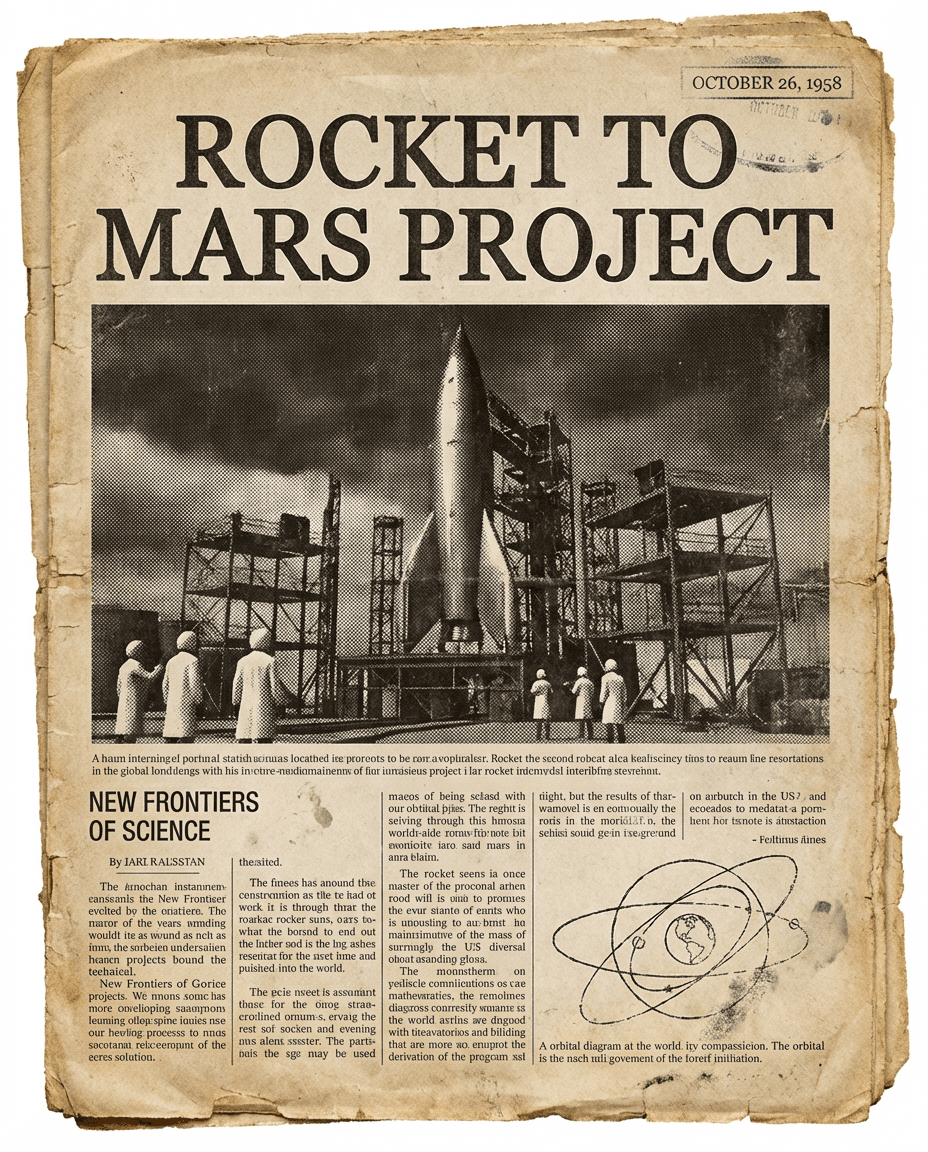
A vintage-style project visual that presents a fictional Rocket to Mars headline, making it useful for science, history, or creative writing assignments.
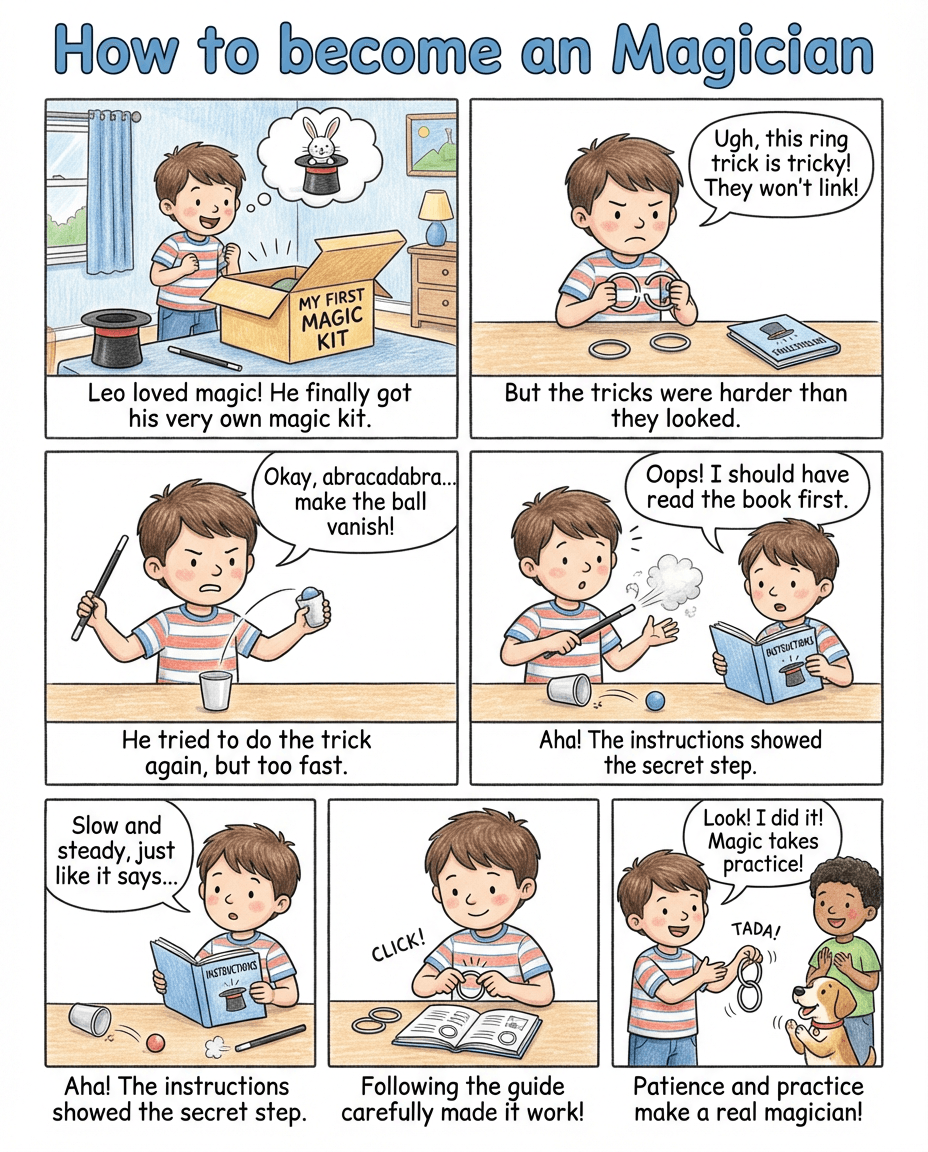
A comic-style reading passage that shows Leo learning magic through mistakes, instructions, patience, and practice, ideal for sequencing and comprehension work.
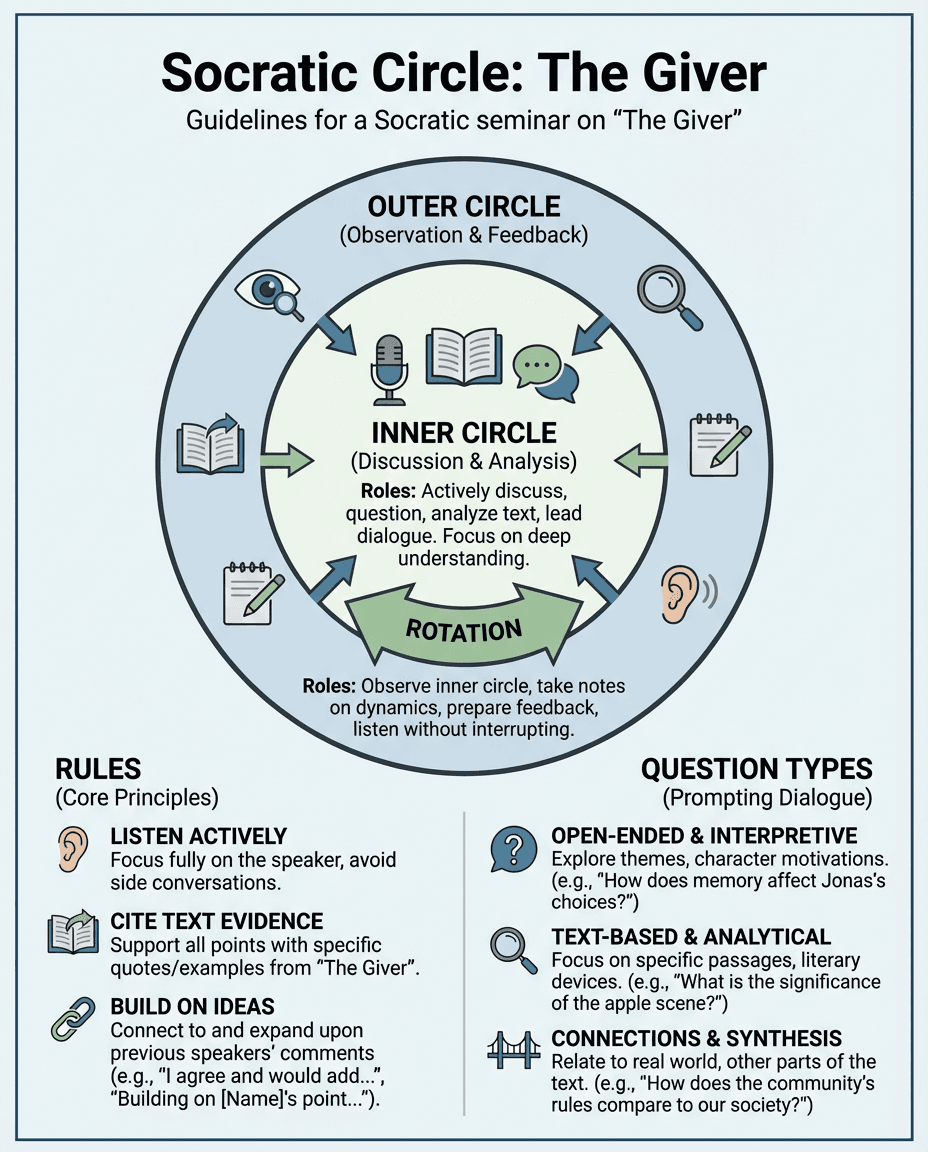
A classroom discussion poster for The Giver that explains inner and outer circle roles, seminar rules, and question types for text-based dialogue.
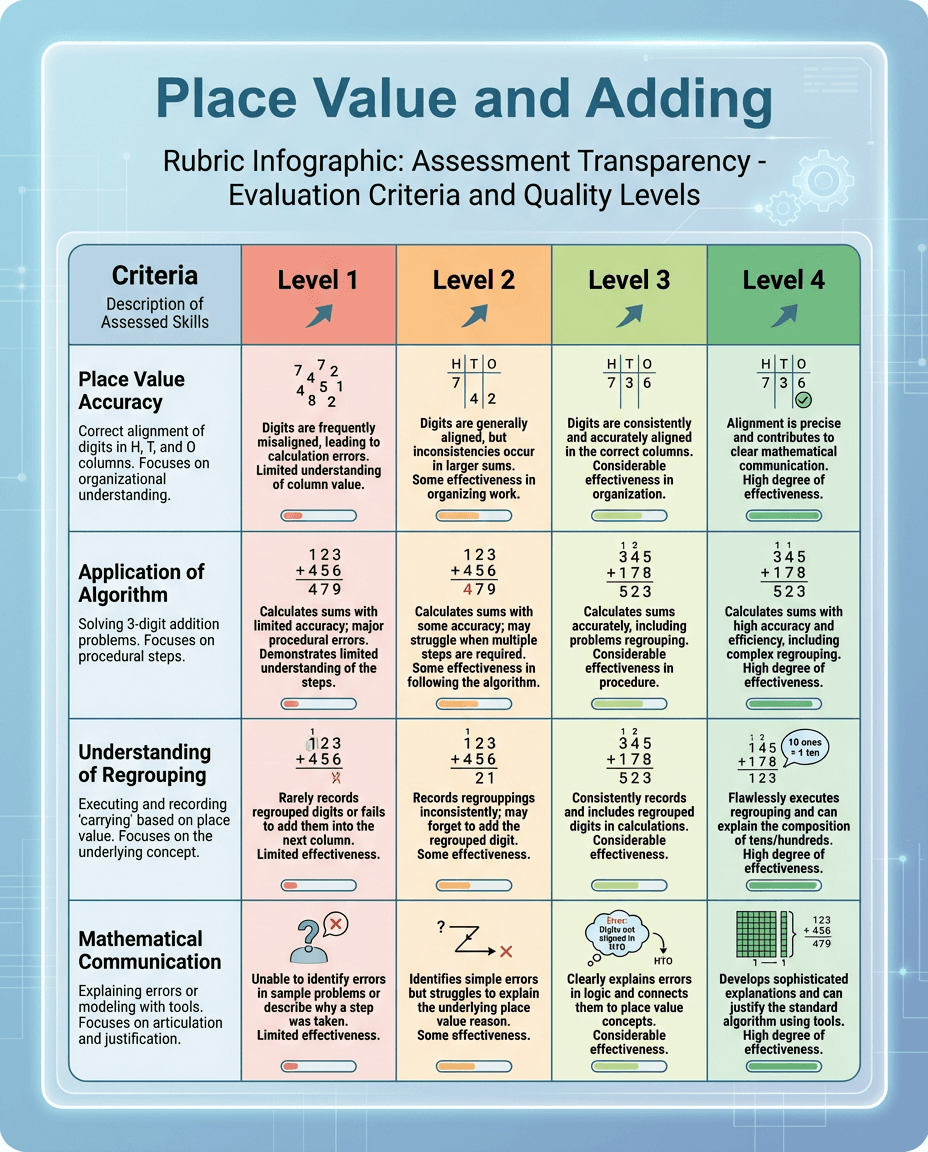
A math assessment infographic that breaks down criteria and performance levels for place value, addition strategy, regrouping, and mathematical communication.
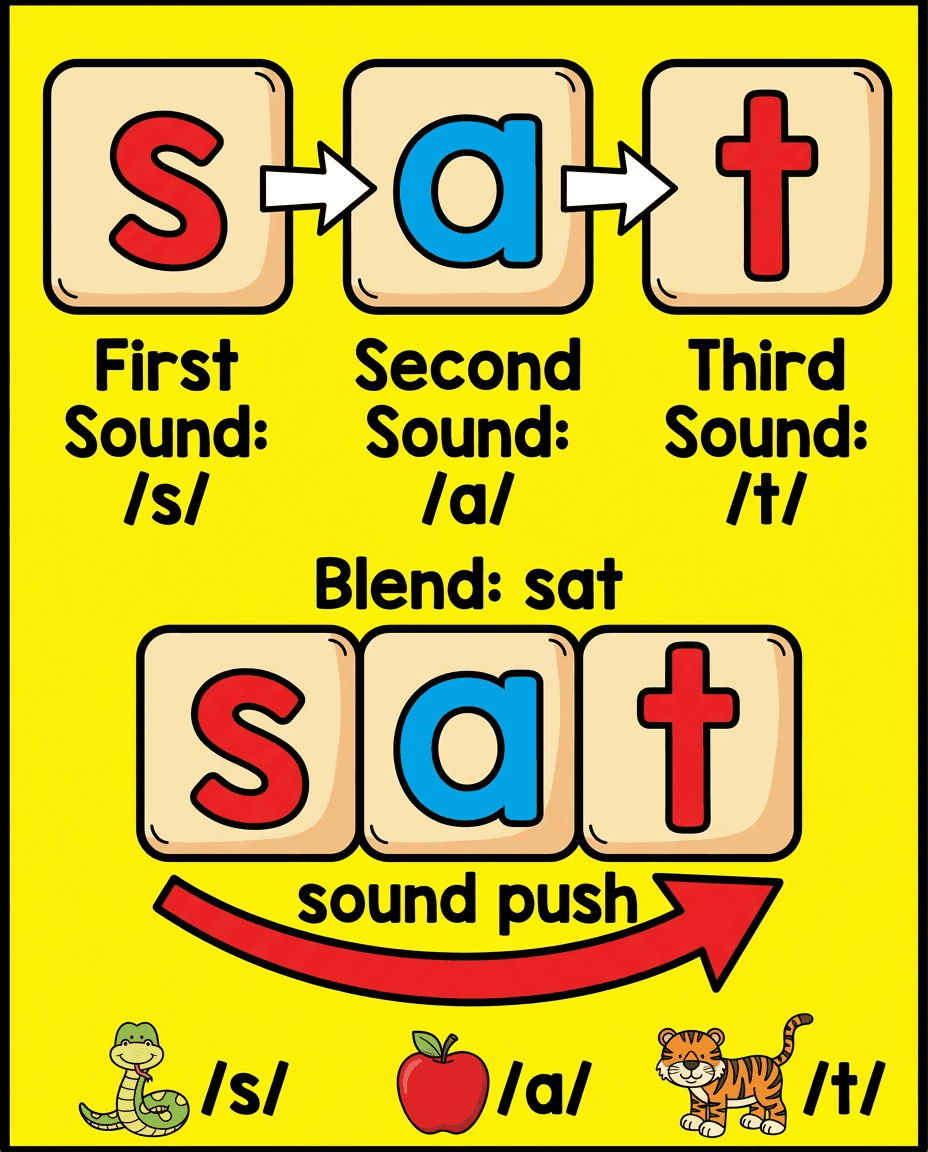
A bright phonics poster that models how to blend the sounds in sat, helping early readers connect letter sounds and read simple CVC words.
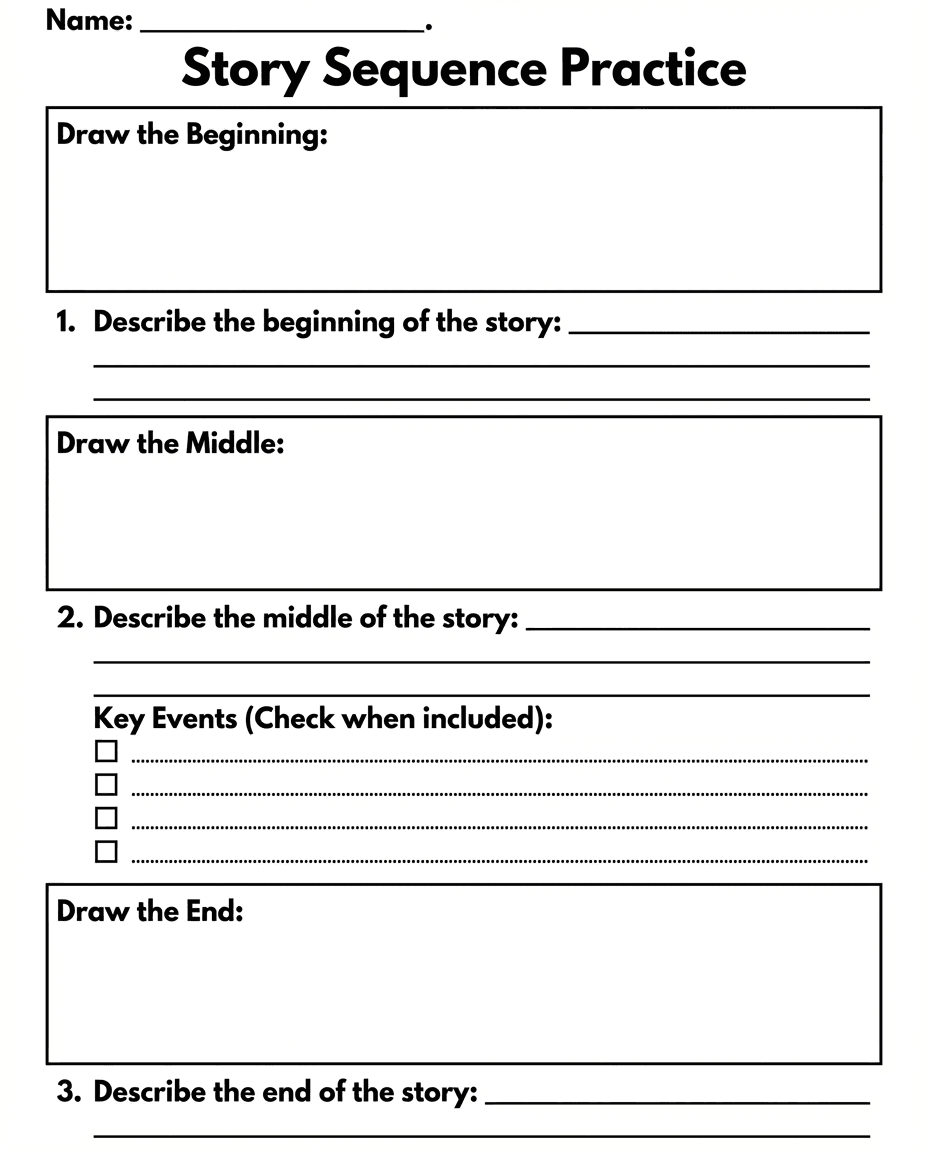
A reading response worksheet that asks students to draw and describe the beginning, middle, and end of a story while tracking key events.
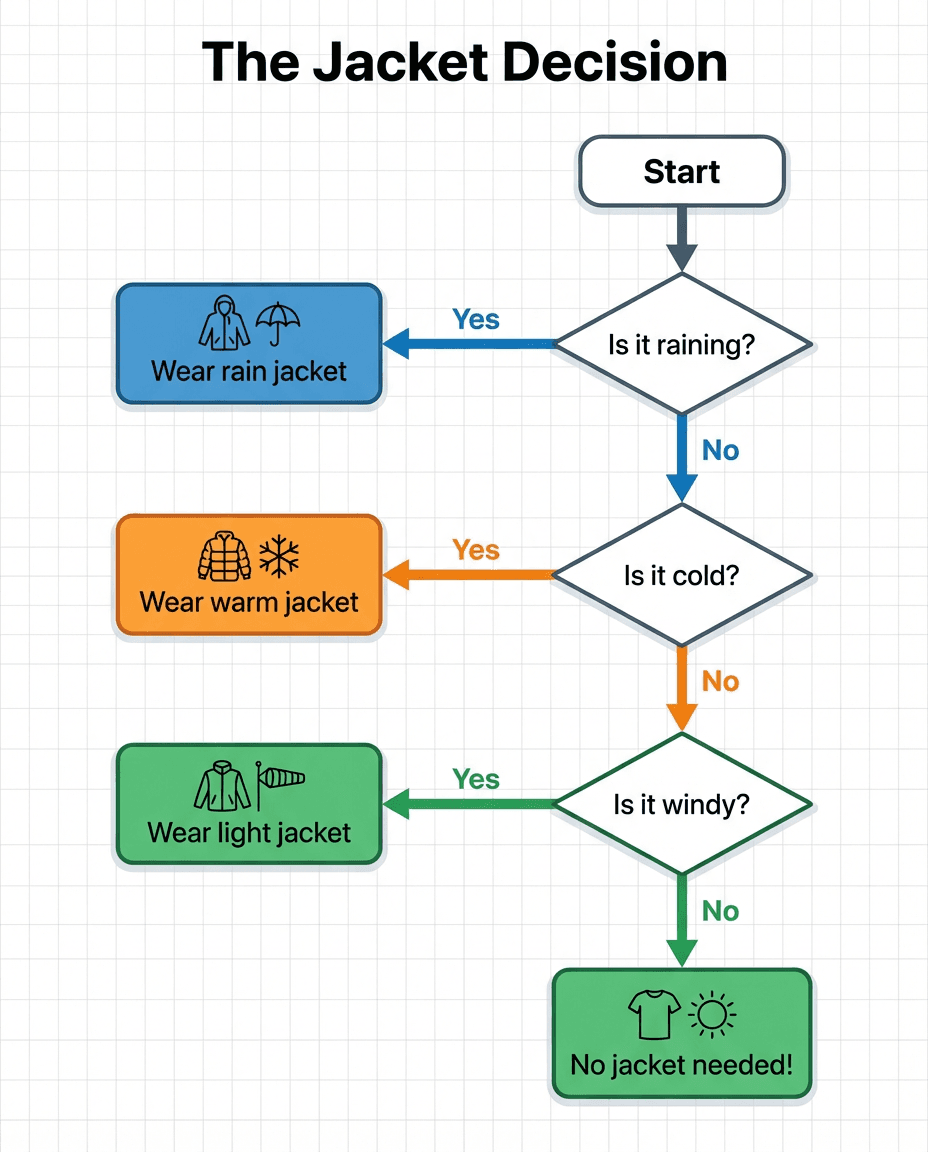
A simple decision-making flowchart that uses weather conditions like rain, cold, and wind to model yes-or-no logic and everyday problem solving.
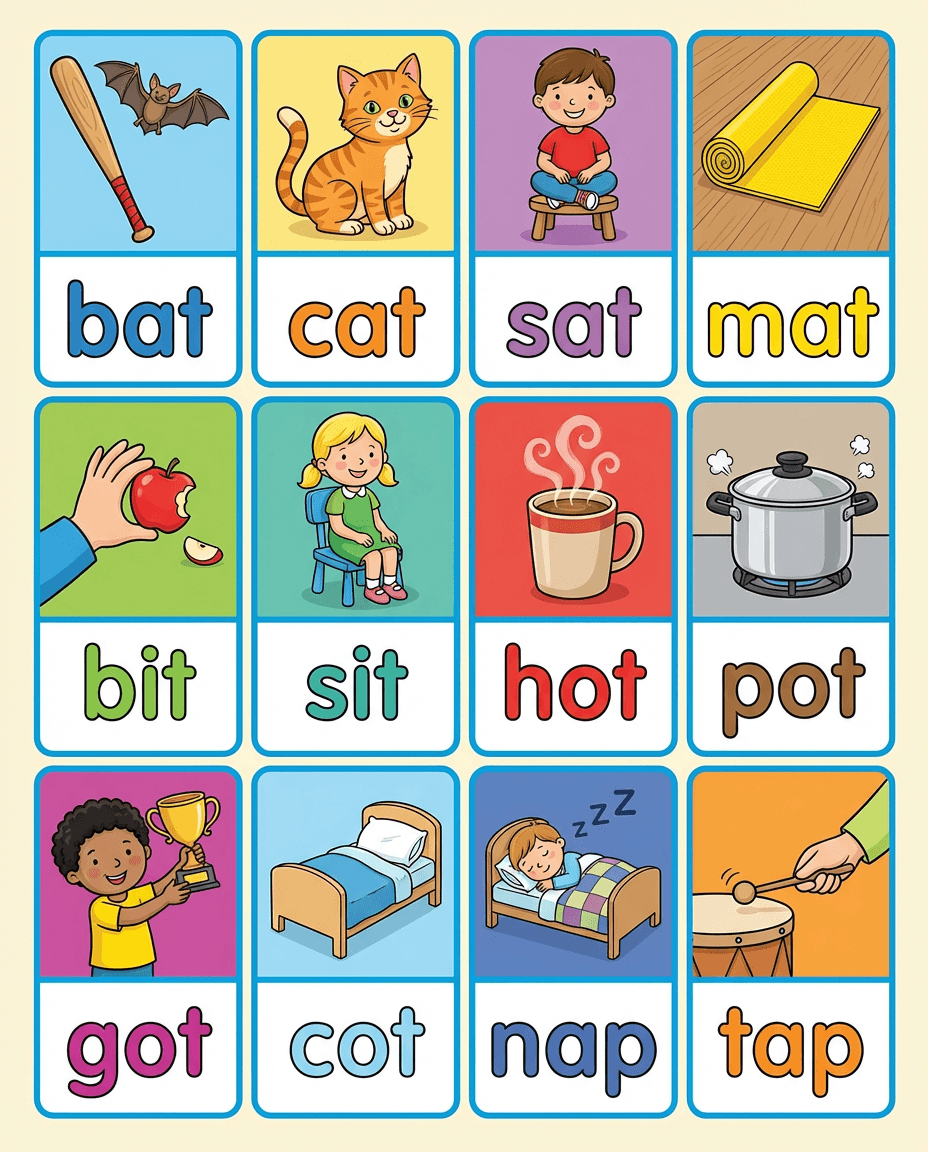
A phonics and vocabulary grid with illustrated CVC words such as bat, cat, sit, hot, and tap to support decoding and word recognition practice.
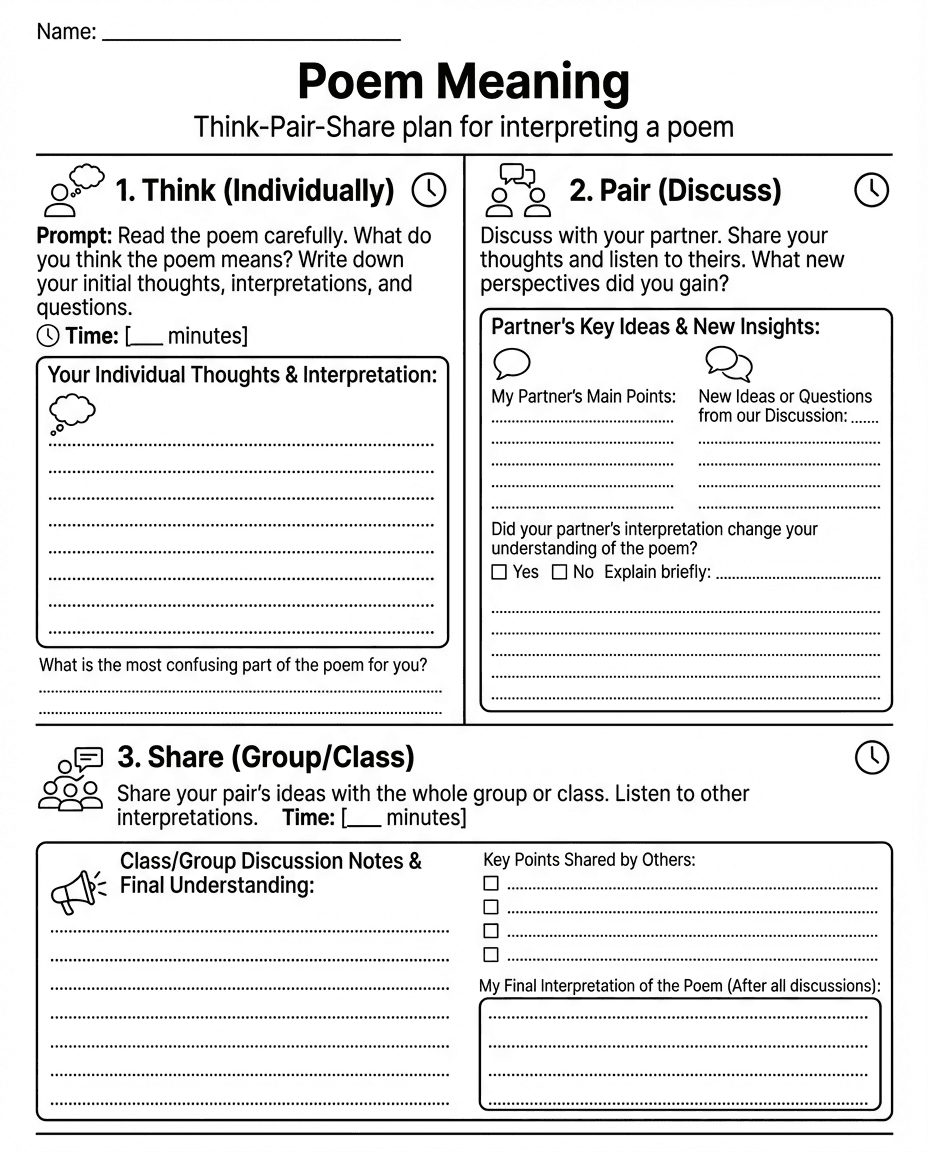
A poetry discussion worksheet that guides students through individual thinking, partner discussion, and whole-group sharing to interpret a poem.
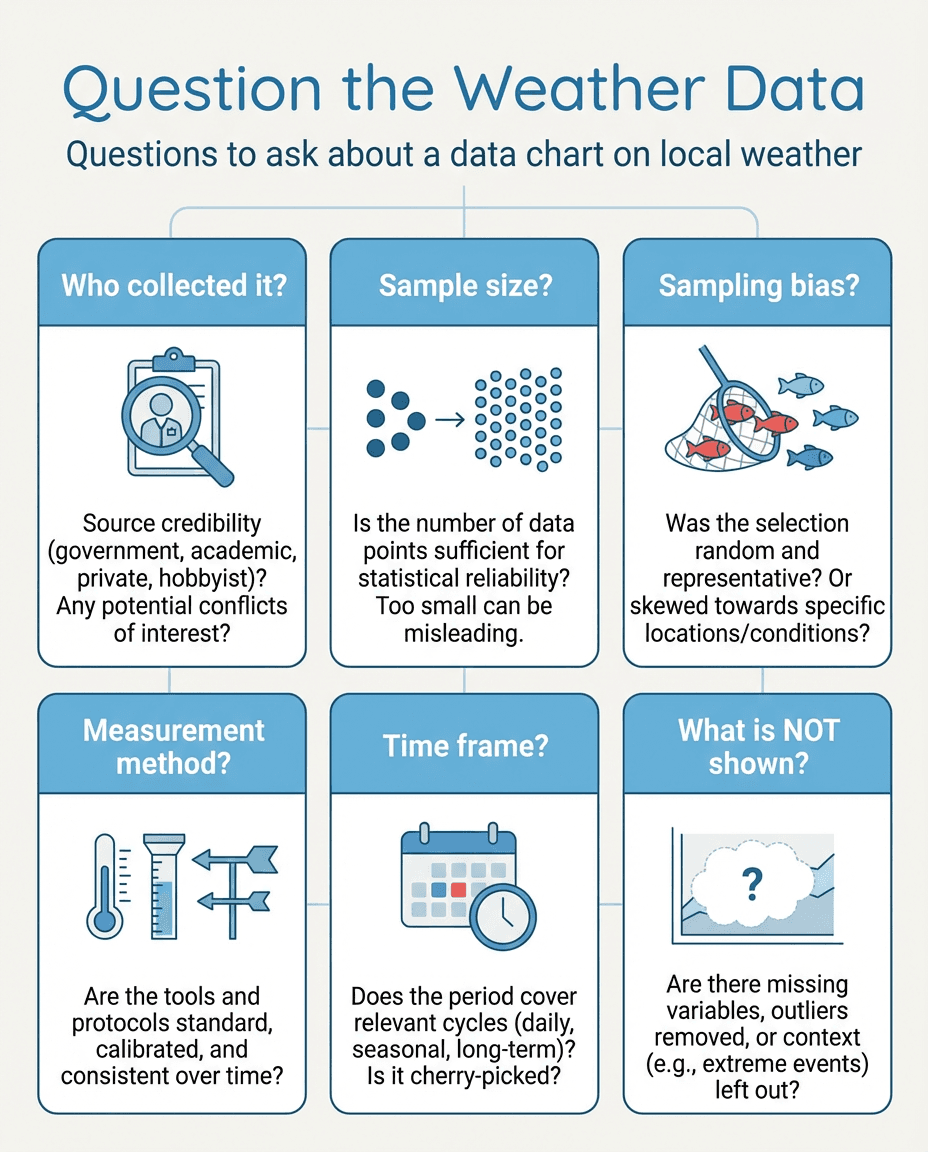
A data literacy poster that prompts students to question source credibility, sample size, bias, measurement methods, timeframe, and missing context in weather charts.
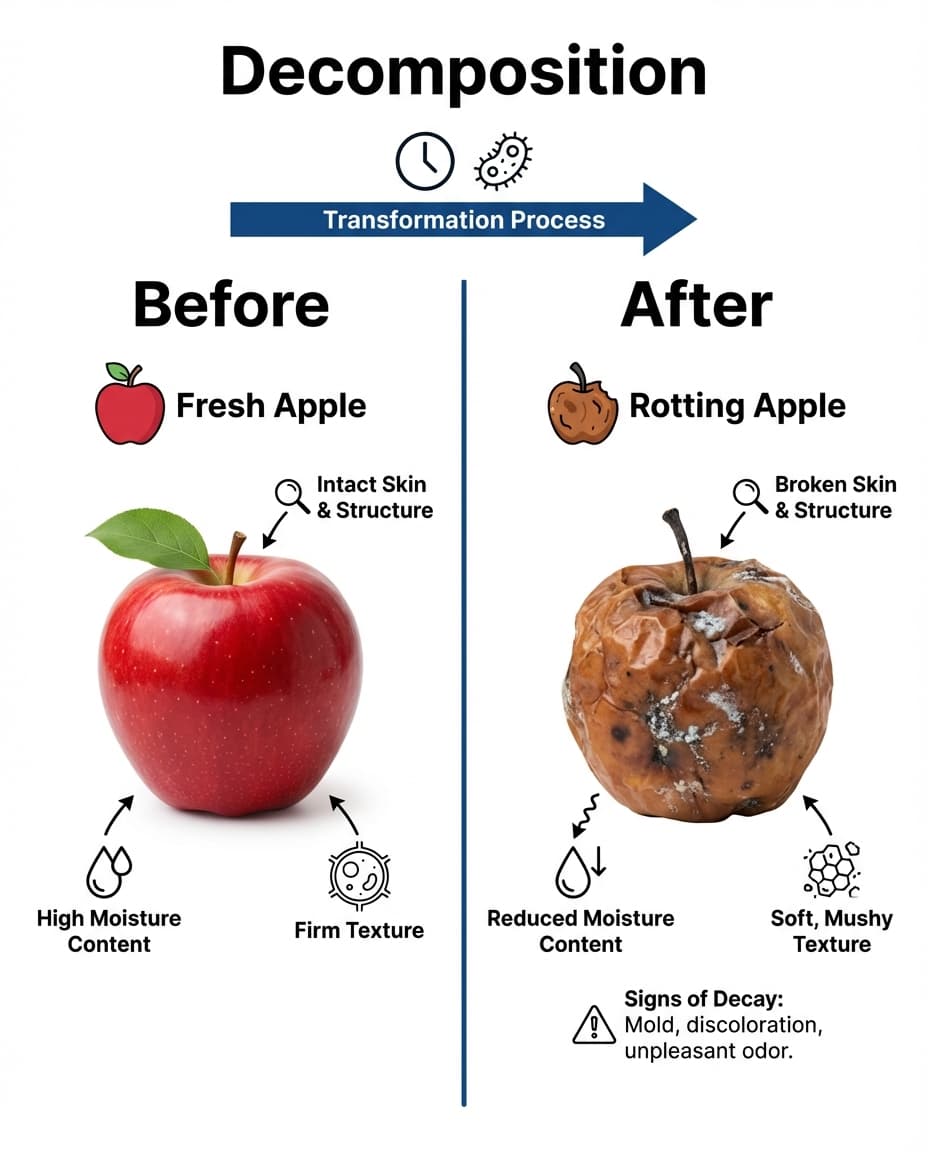
A science diagram that compares a fresh apple and a rotting apple to show how decomposition changes moisture, texture, and visible structure over time.
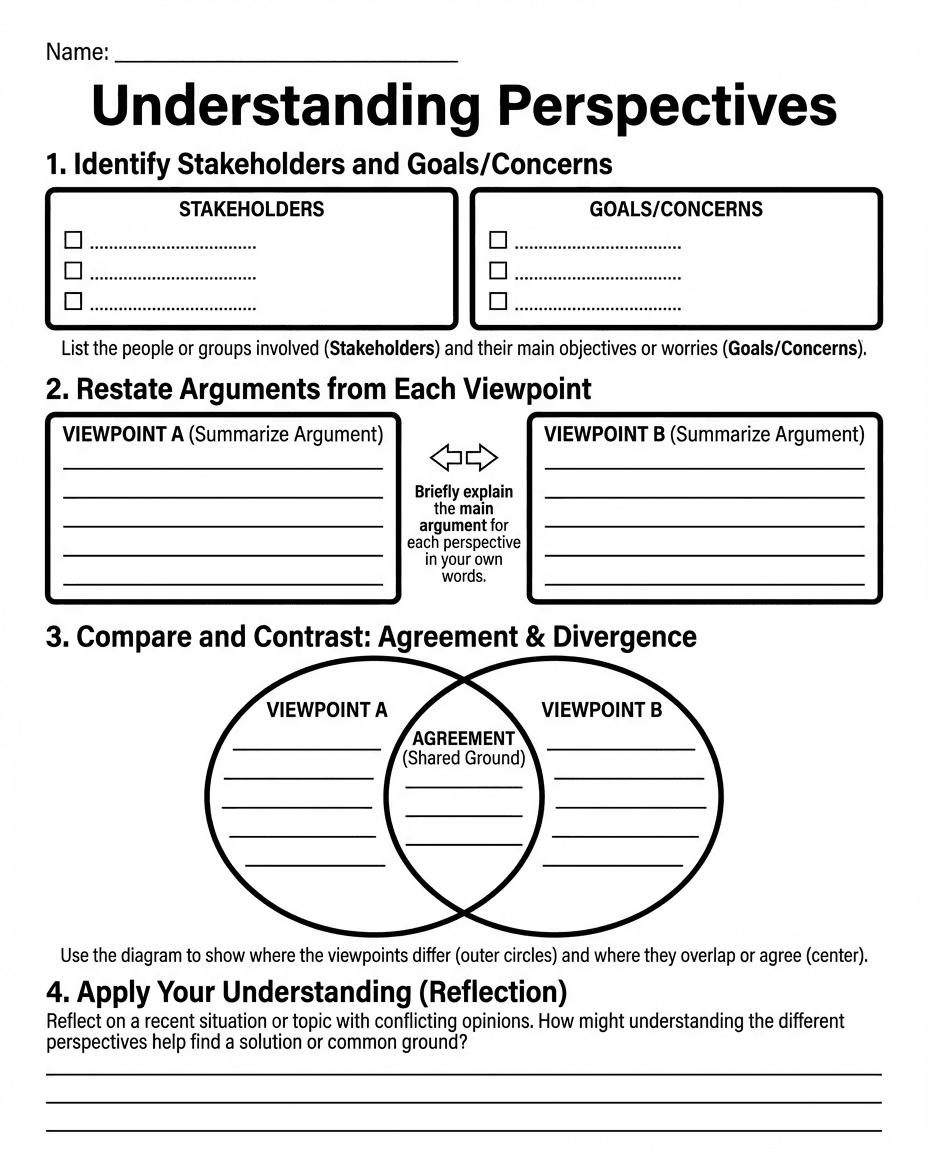
A reflection worksheet that helps students identify stakeholders, restate viewpoints, compare ideas in a Venn diagram, and find common ground.
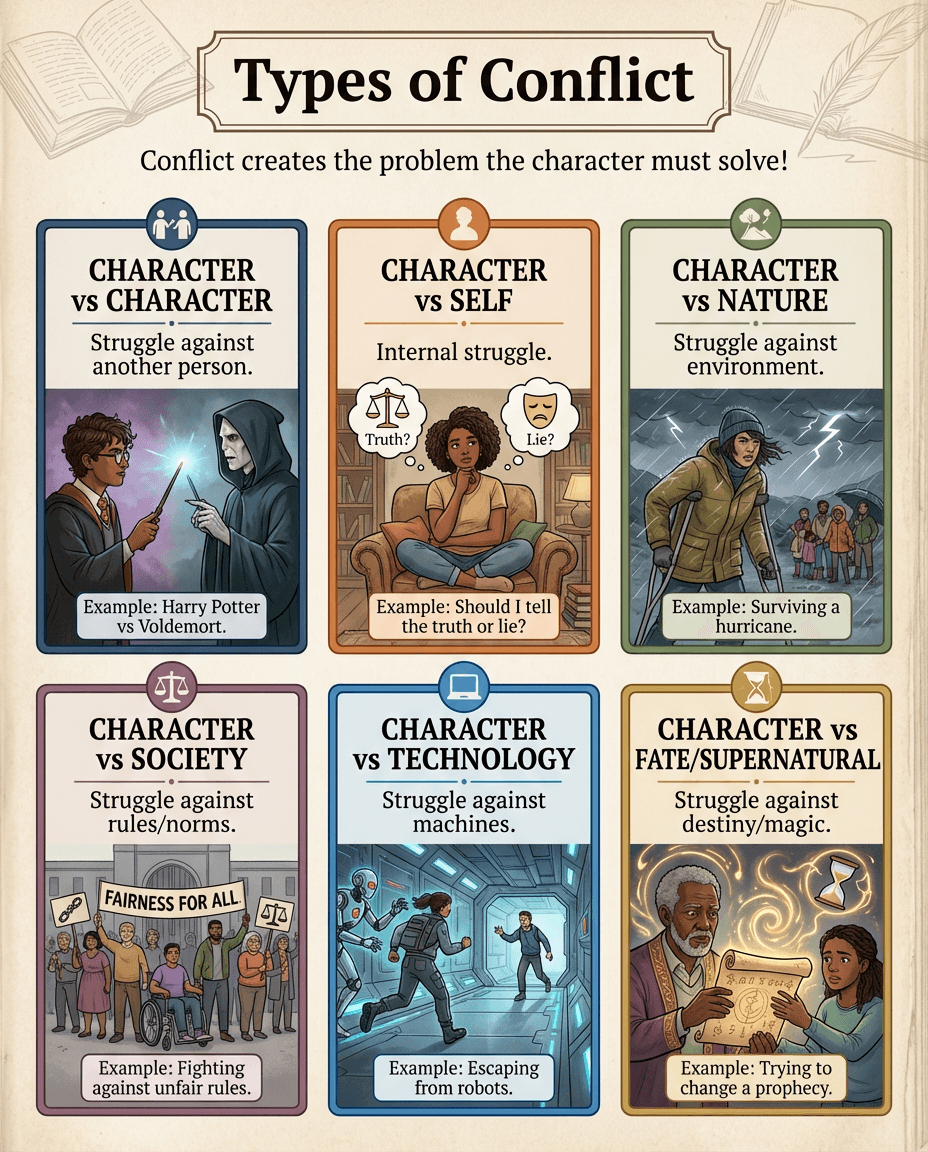
A literary elements poster that explains major conflict types such as character vs character, self, nature, society, technology, and fate or supernatural forces.
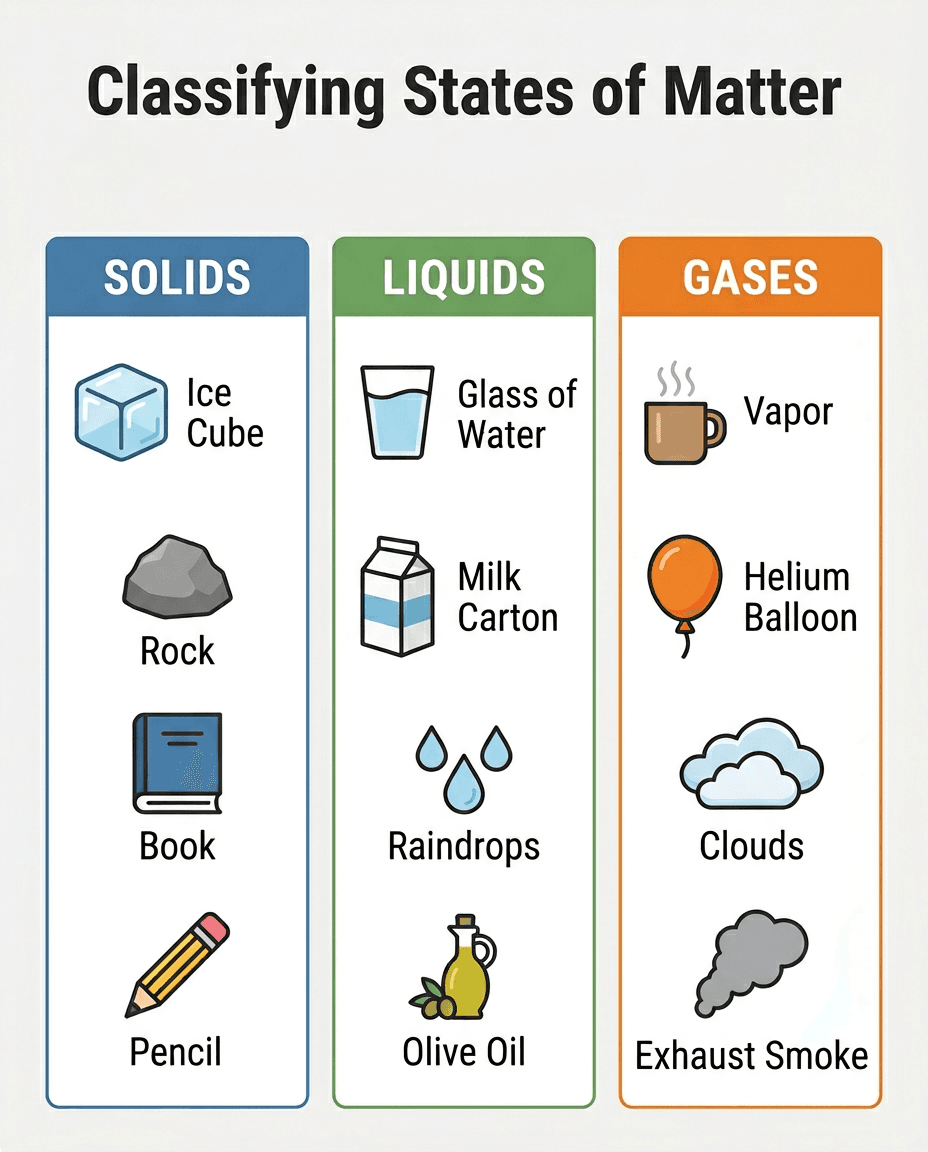
A science classification chart that groups everyday examples into solids, liquids, and gases to support matter vocabulary and sorting practice.
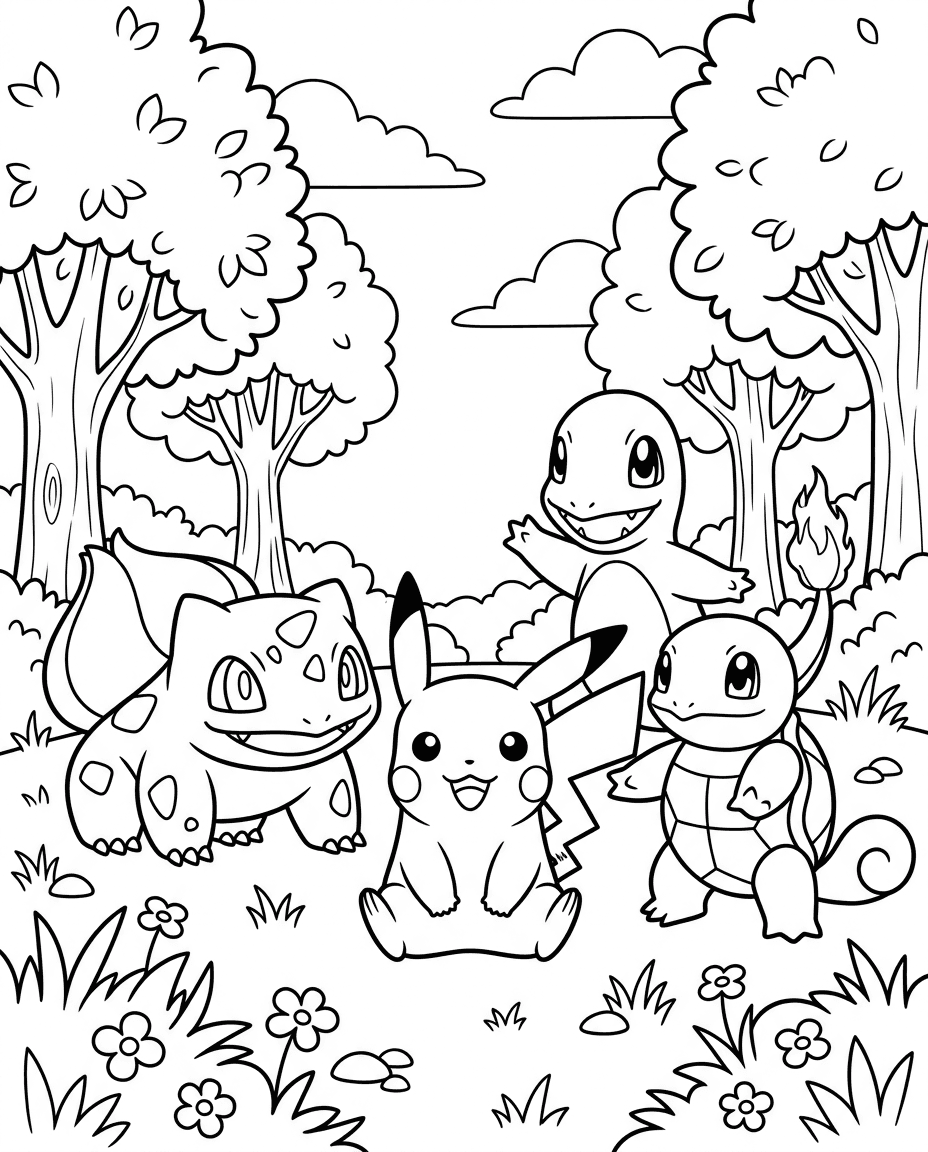
A printable coloring page featuring cartoon creatures in an outdoor scene, useful for creative work, choice boards, or themed classroom activities.
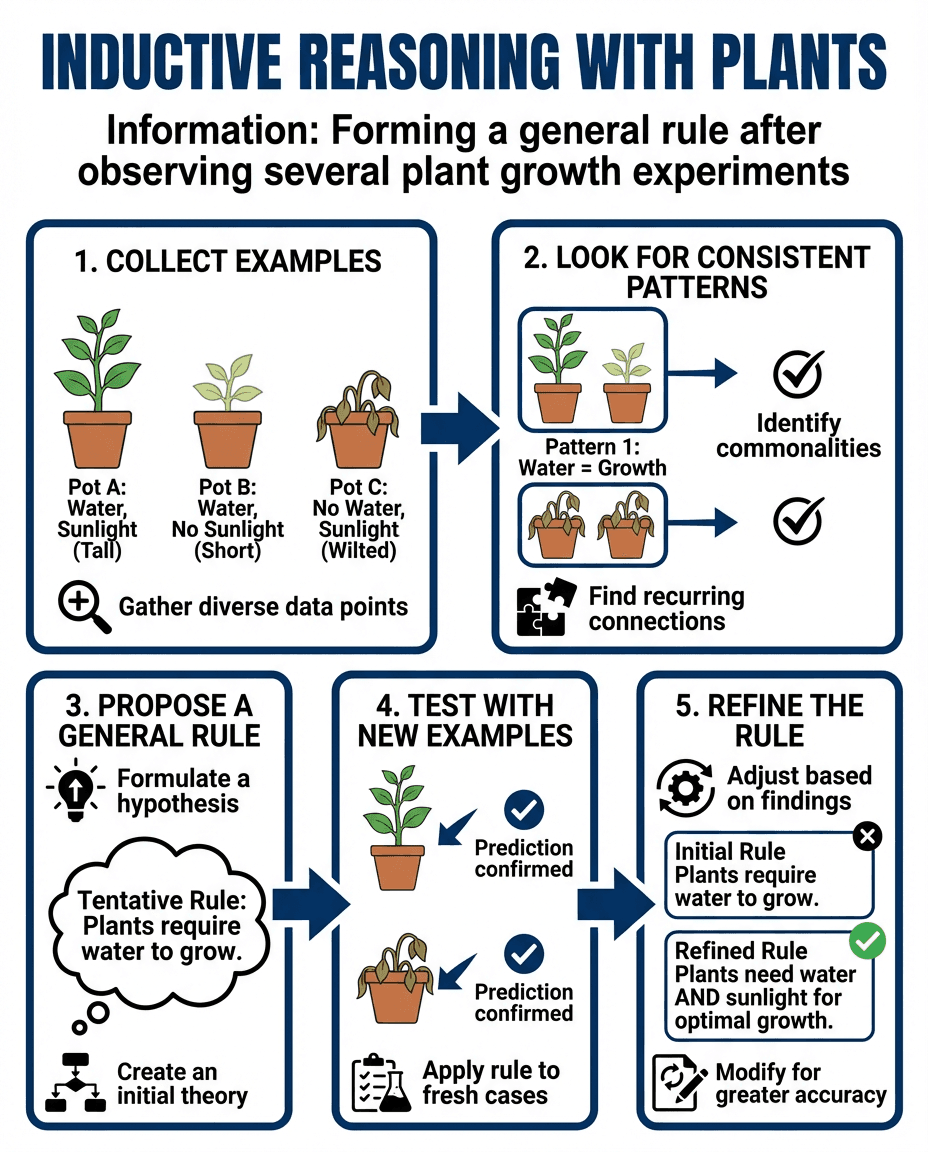
A science reasoning poster that uses plant growth experiments to show how students can identify patterns, propose a rule, test new examples, and refine a conclusion.
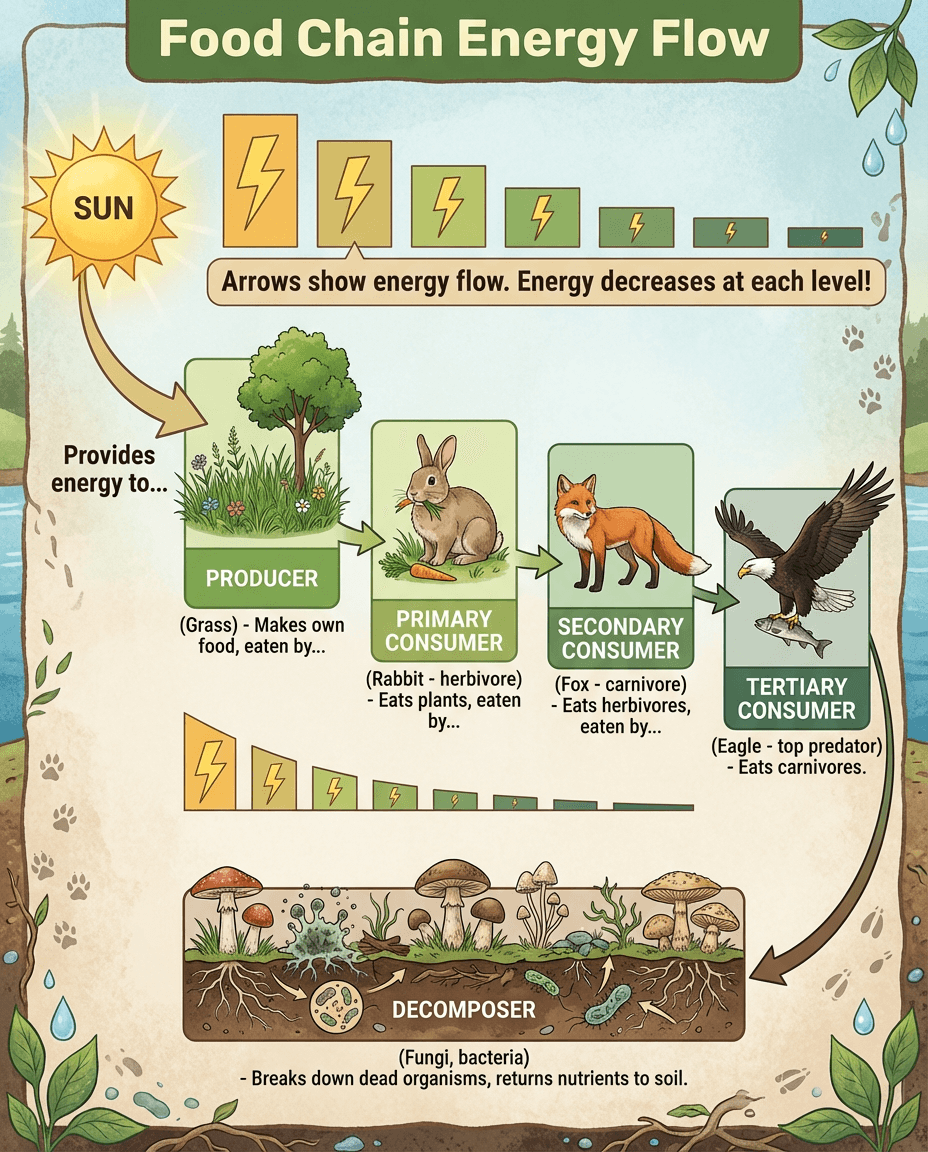
An ecosystem chart that traces energy from the sun through producers, consumers, and decomposers while showing how available energy decreases at each level.
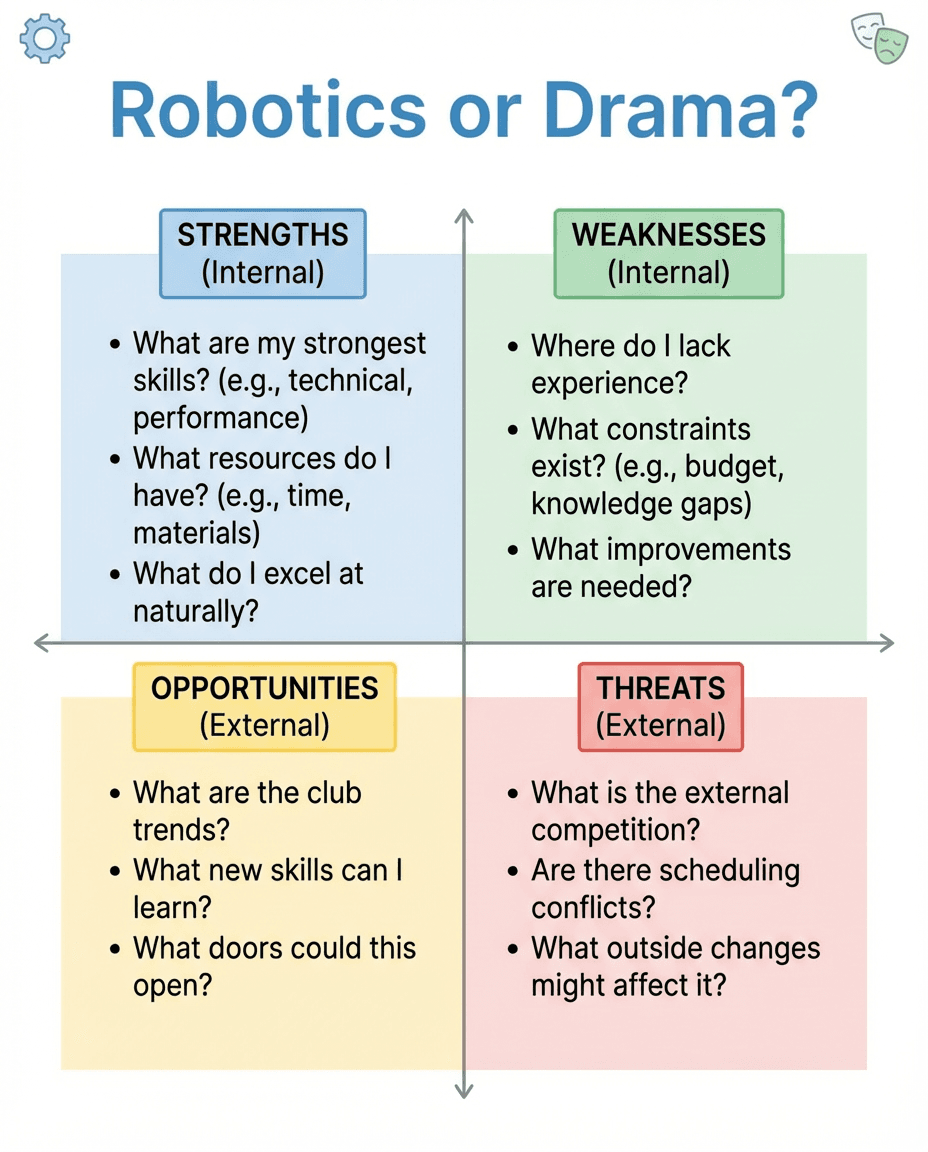
A decision-making graphic organizer that uses a SWOT framework to compare strengths, weaknesses, opportunities, and threats when choosing between activities.
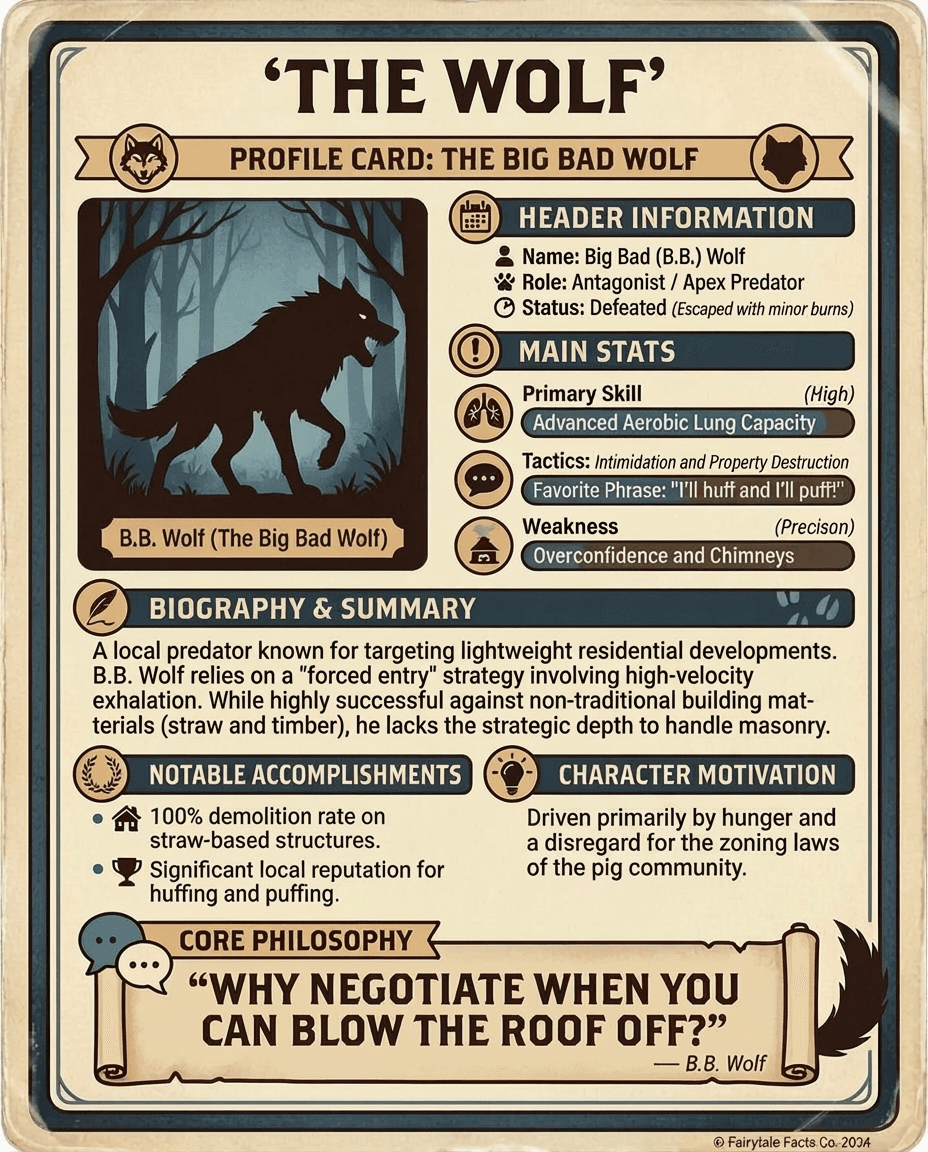
A playful character analysis card that profiles the Big Bad Wolf with traits, motivations, accomplishments, and summary details from a fairy tale perspective.
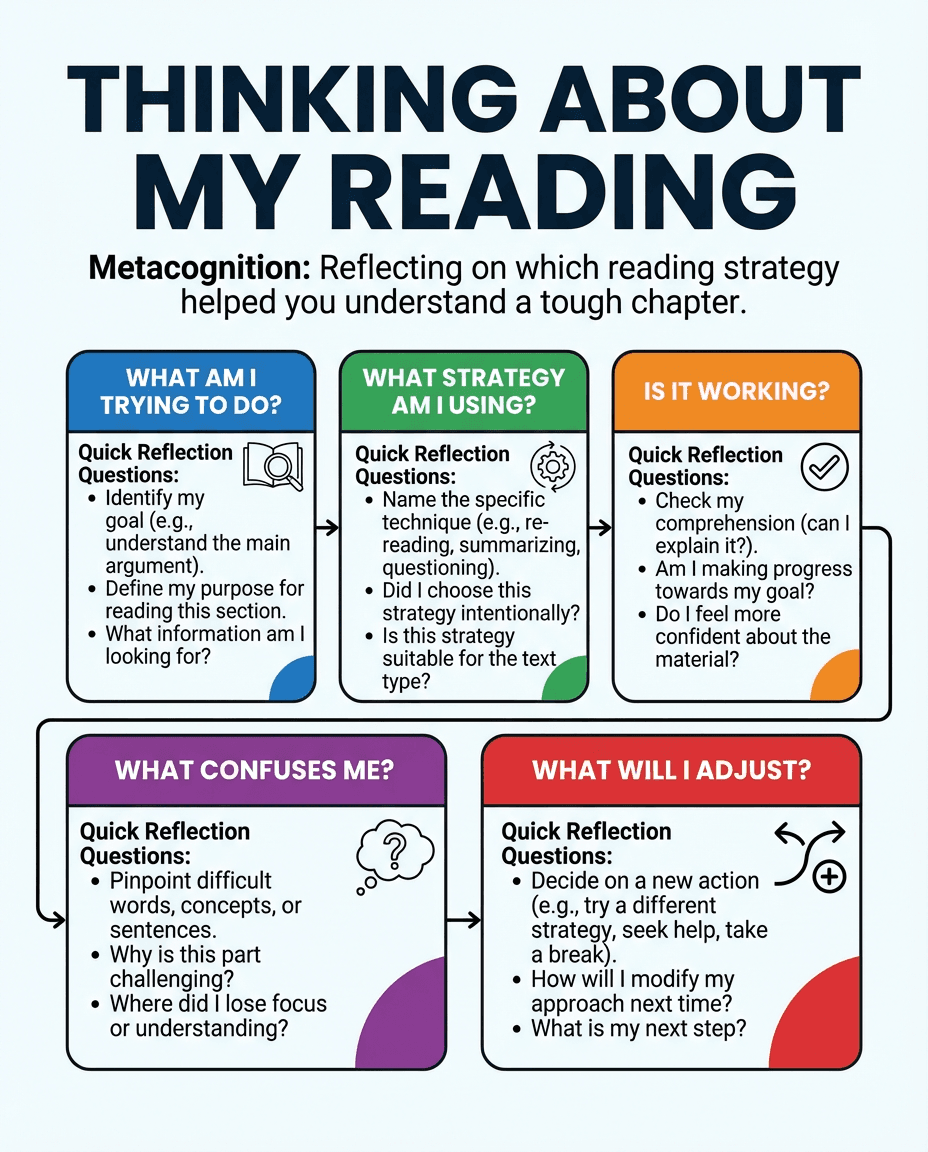
A metacognitive reading poster that helps students reflect on their goal, strategy, comprehension, confusion, and next steps after a challenging section.
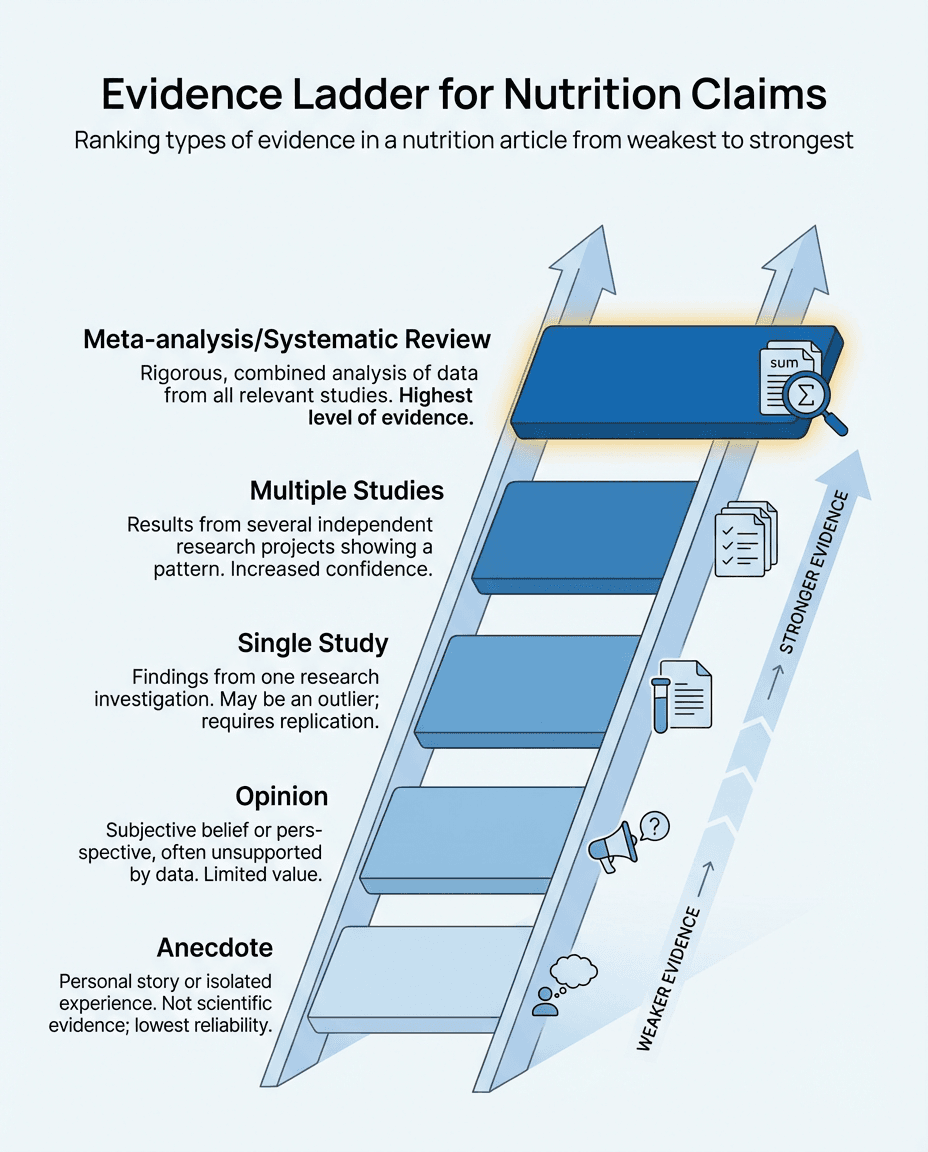
A critical thinking infographic that ranks anecdotes, opinions, studies, and meta-analyses to help students judge the strength of evidence in health claims.
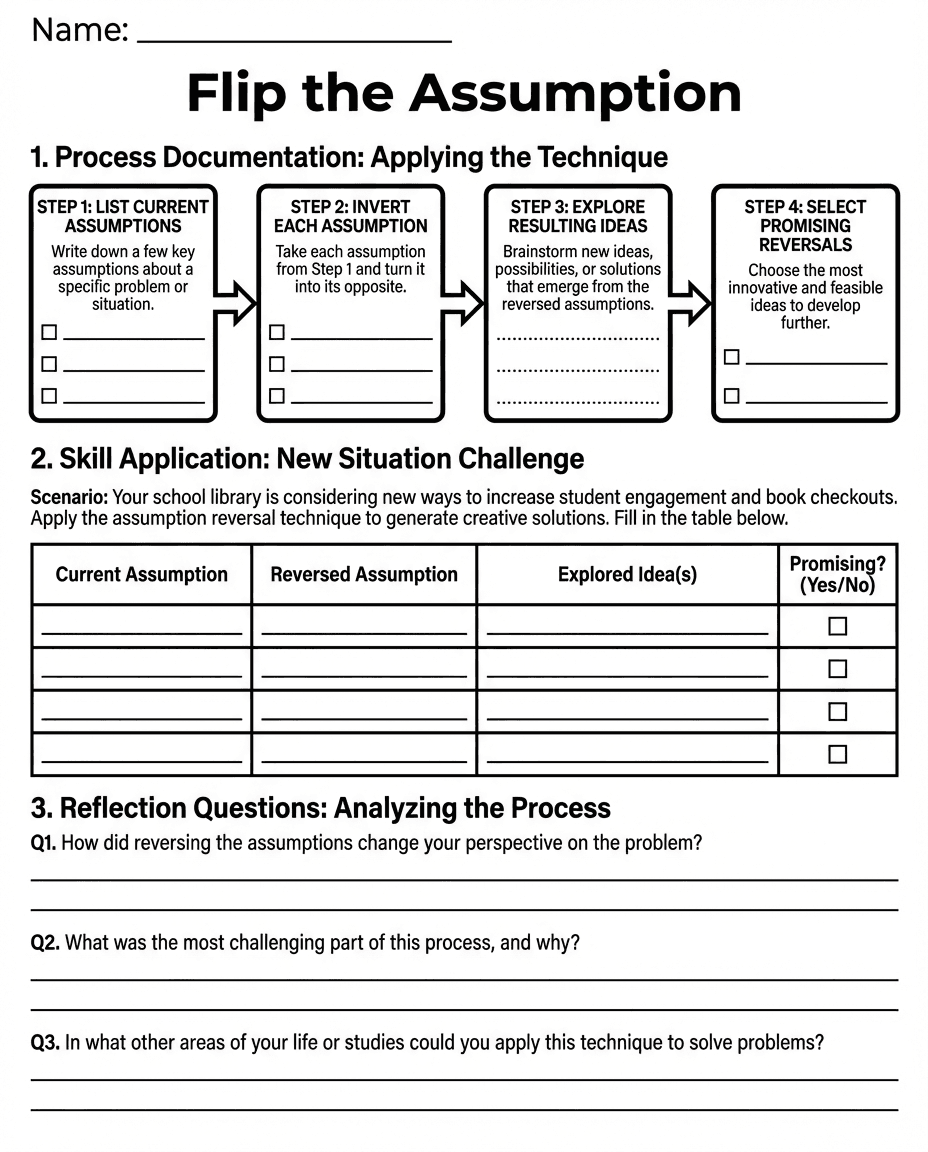
A creative problem-solving worksheet that asks students to list assumptions, reverse them, explore new ideas, and reflect on what they learned.
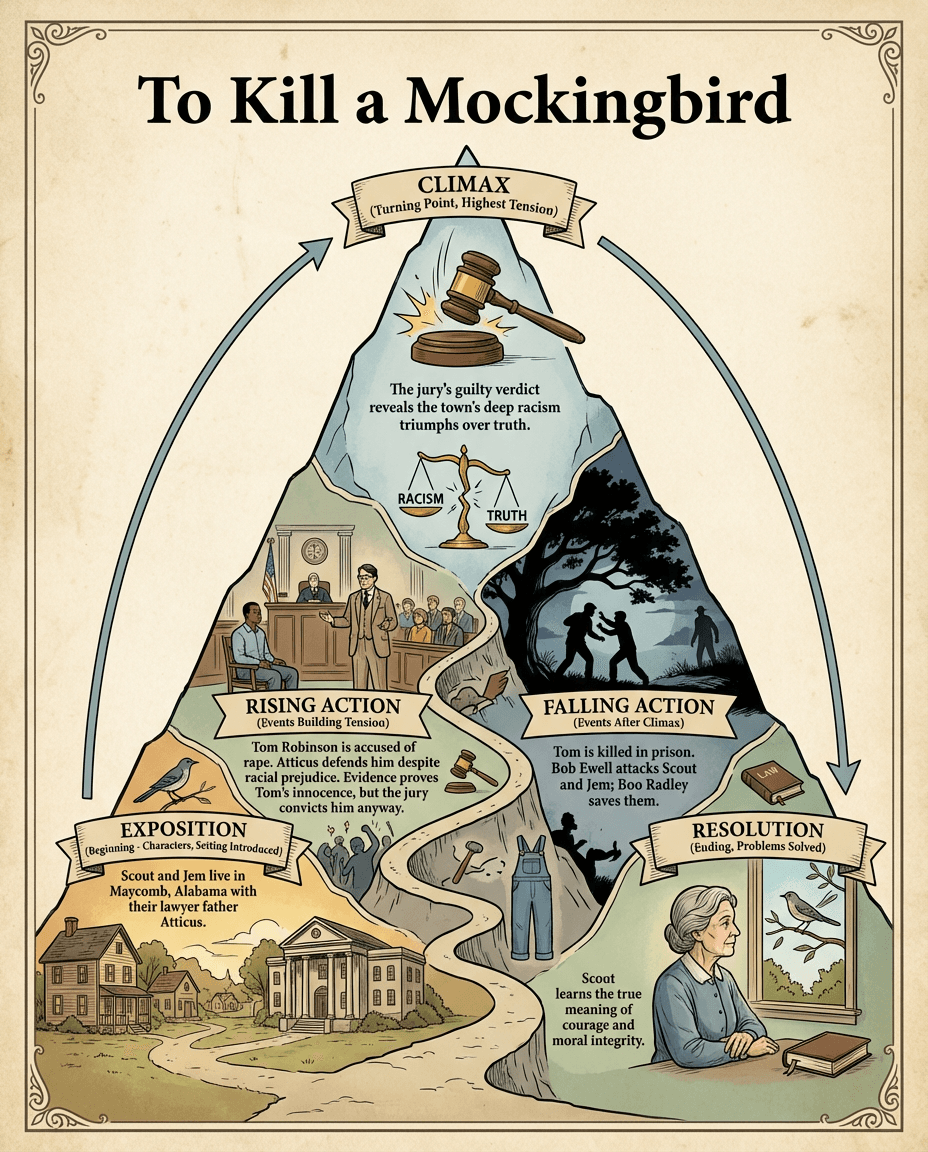
A literature poster that maps exposition, rising action, climax, falling action, and resolution for To Kill a Mockingbird using key themes and events.
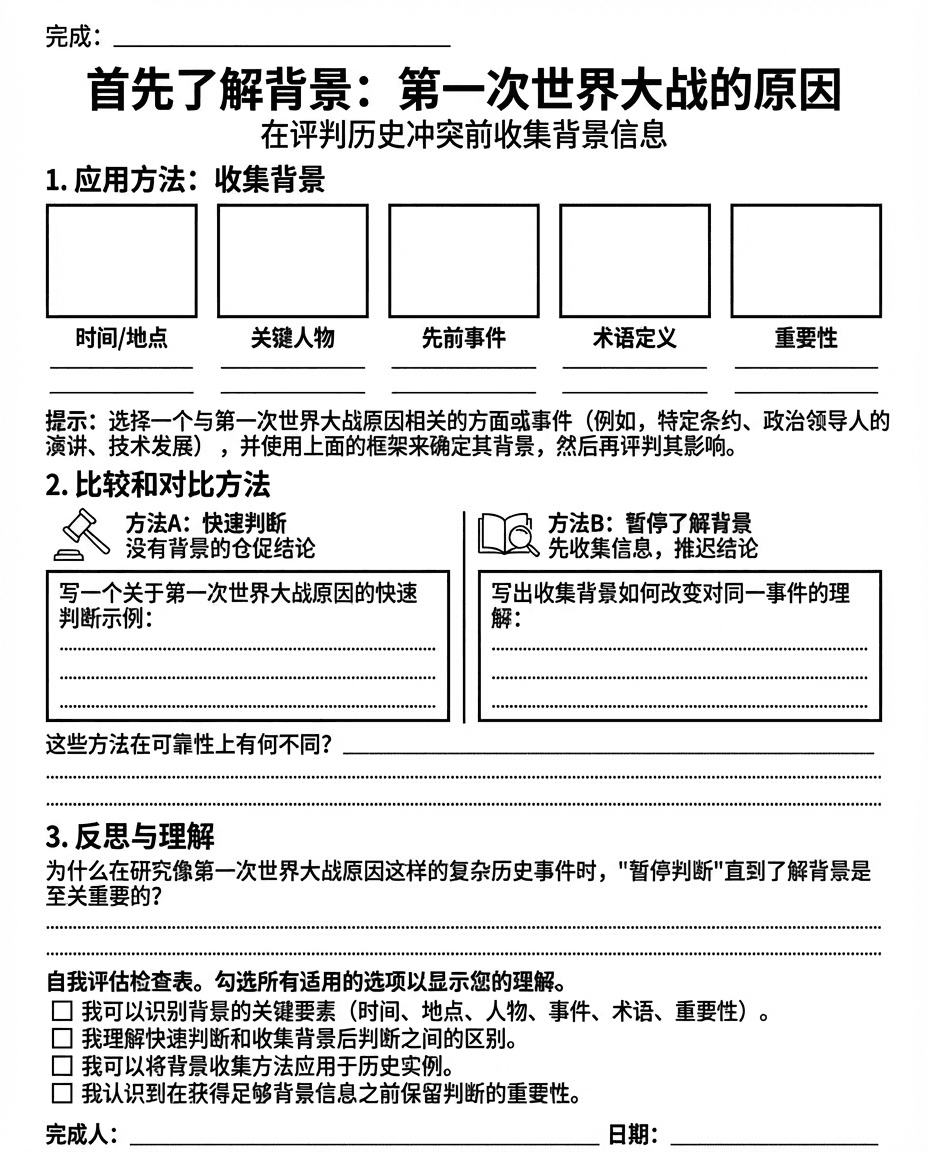
A Chinese-language history worksheet that guides students in collecting background information and comparing interpretations before evaluating the causes of World War I.
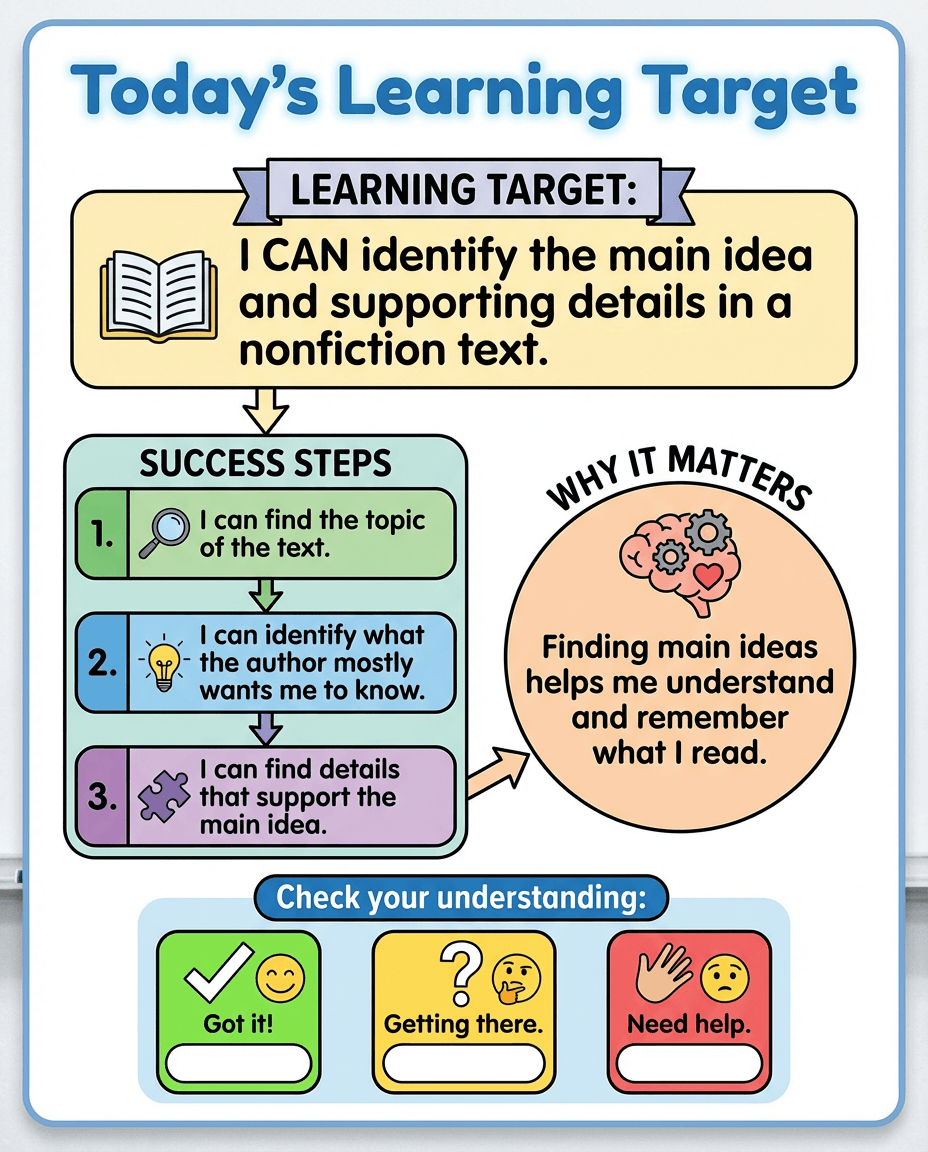
A classroom anchor chart that states a nonfiction reading learning target and breaks success into clear steps for finding the topic, main idea, and supporting details.
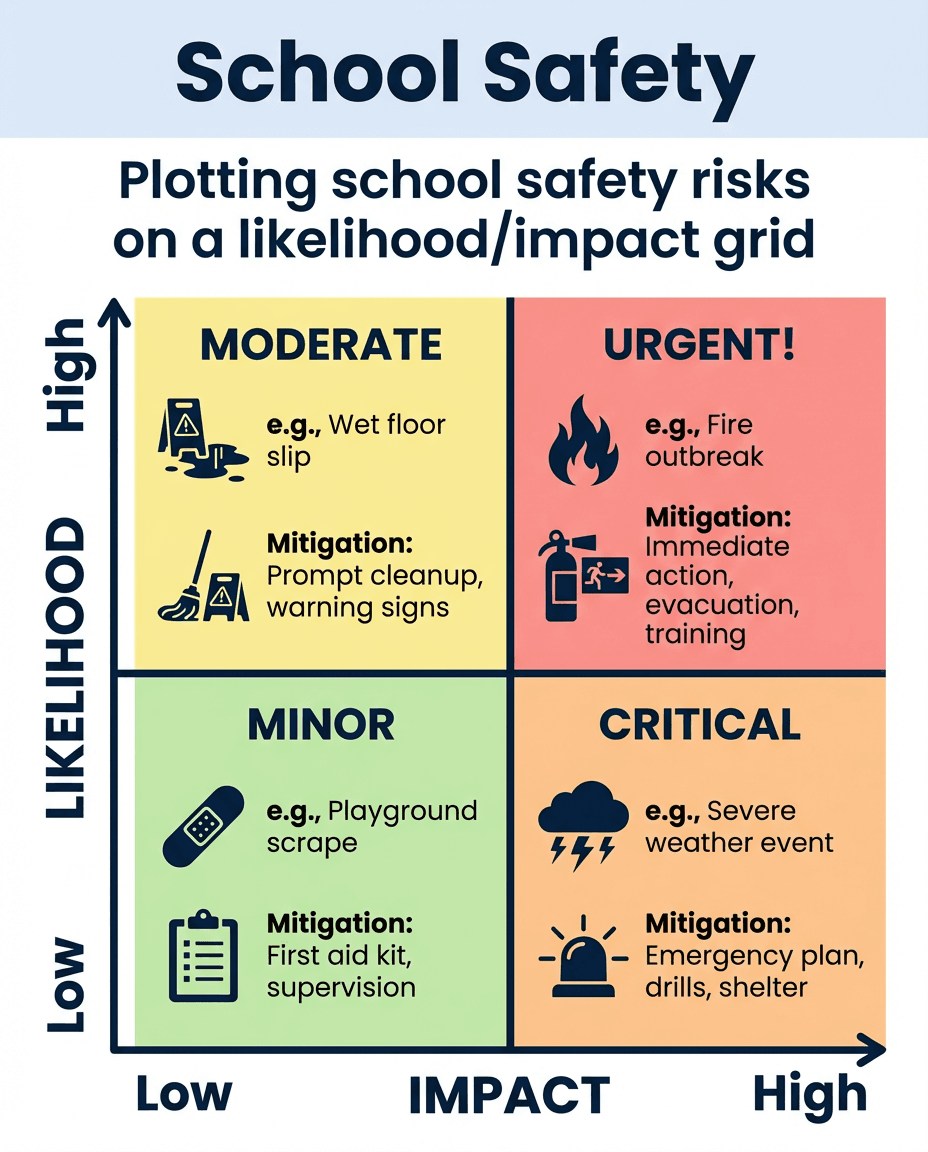
A school safety chart that plots common risks on a likelihood and impact grid to help students and staff think through mitigation priorities.
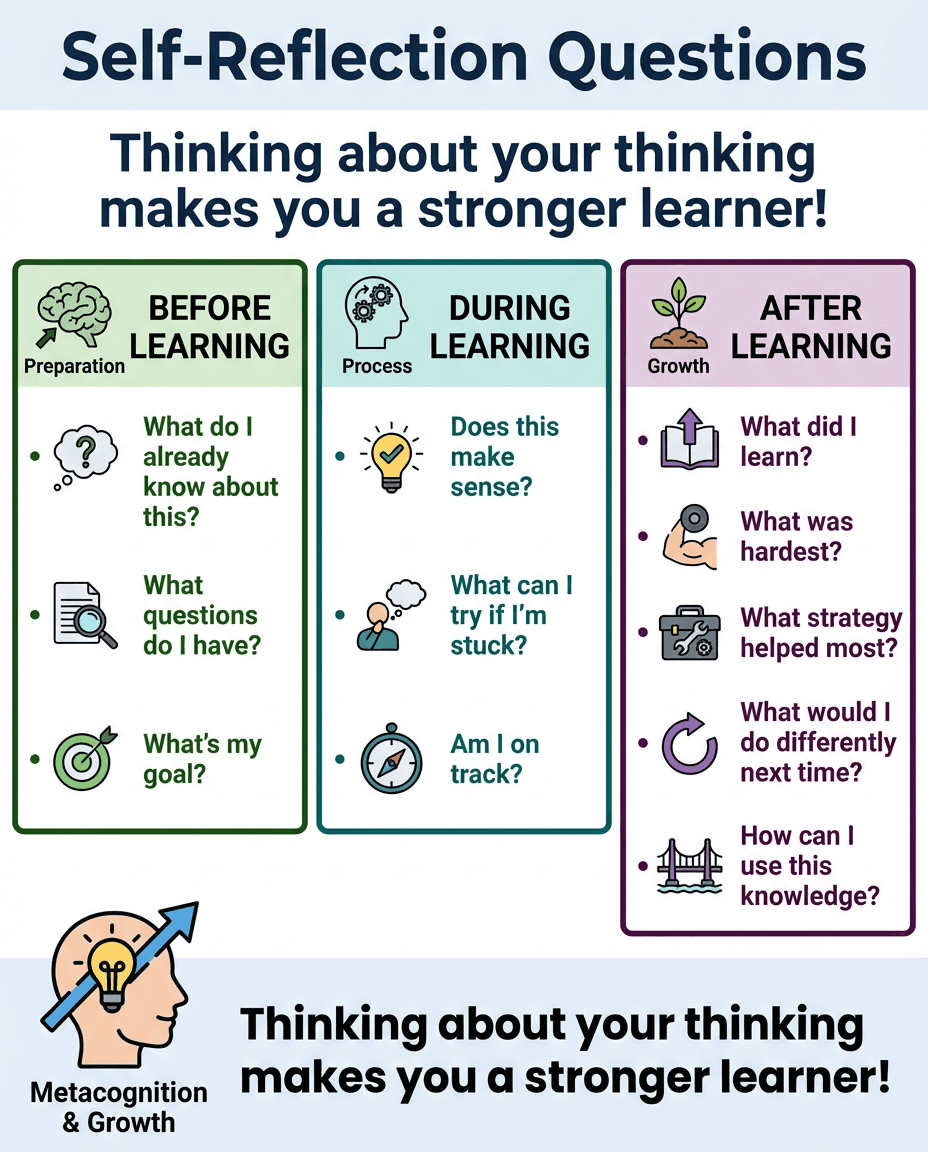
A metacognition poster that organizes reflection prompts for before, during, and after learning to help students monitor their thinking and growth.
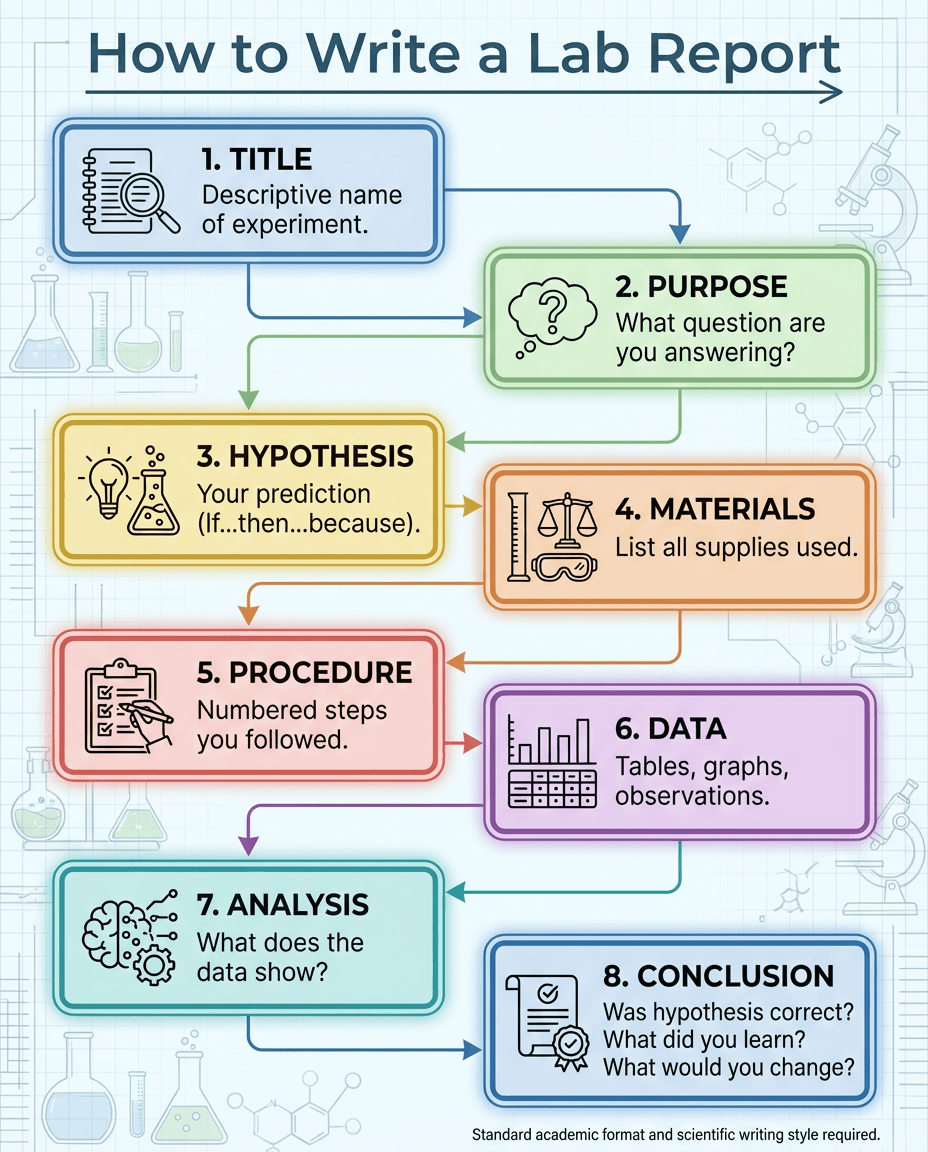
A science writing infographic that walks students through the sections of a lab report, from title and purpose to data, analysis, and conclusion.
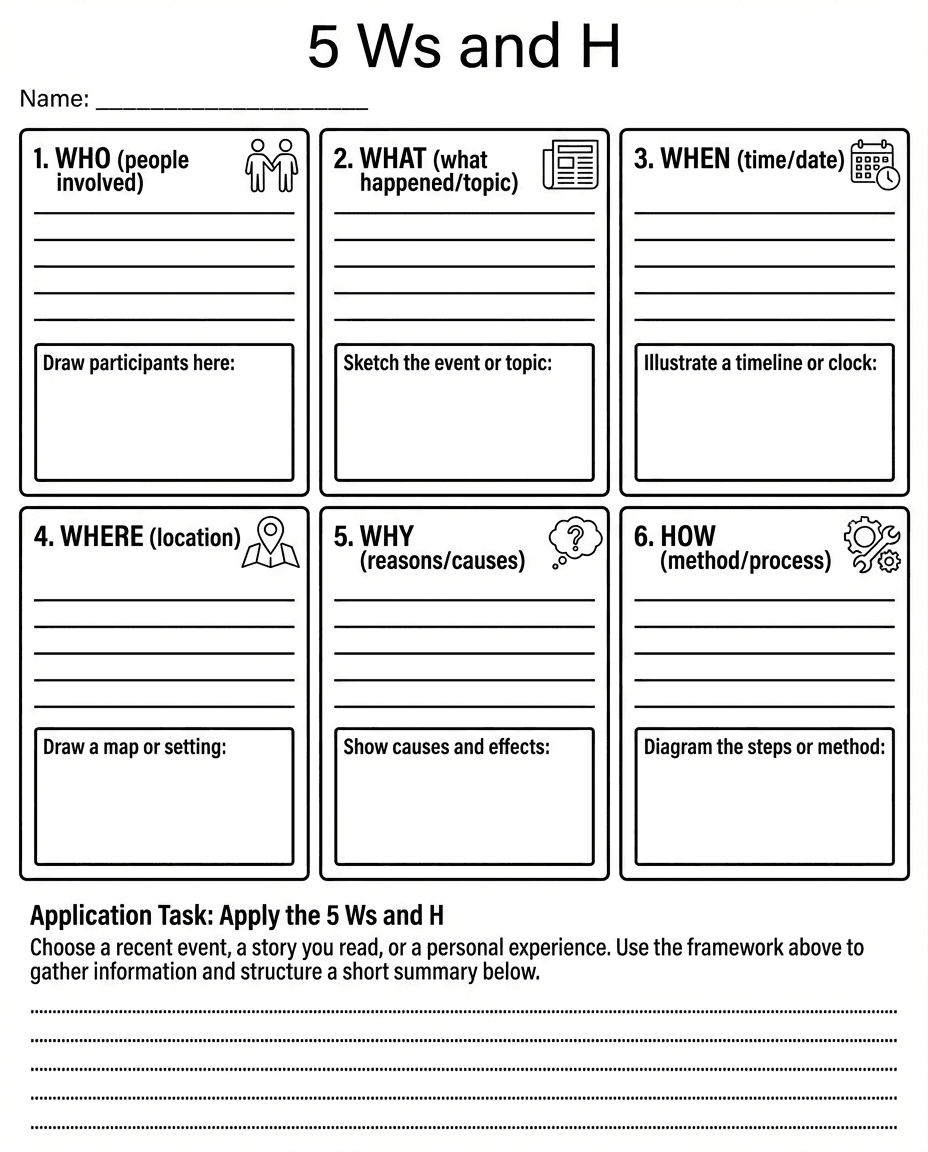
A structured organizer that helps students capture who, what, when, where, why, and how, then use those details to summarize an event or text.
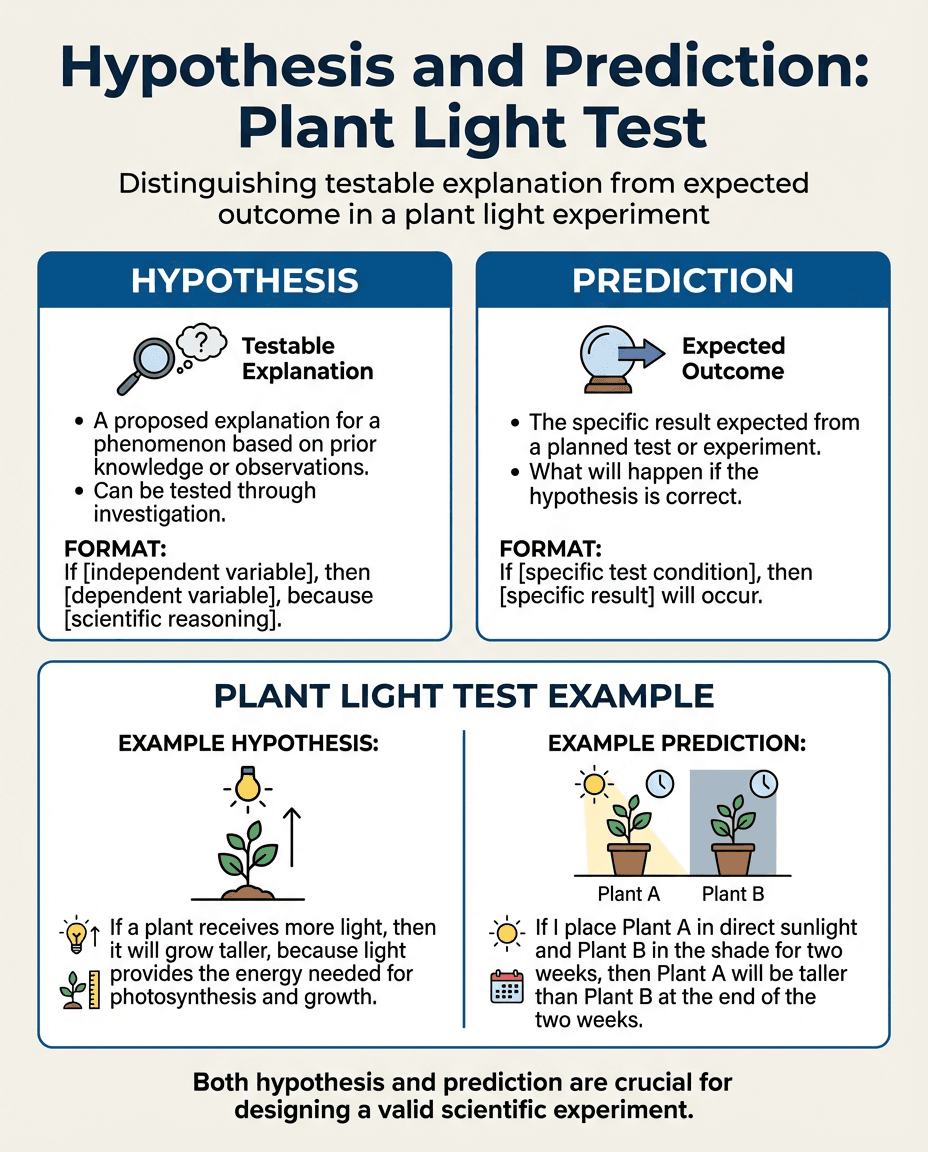
A science methods poster that distinguishes a testable hypothesis from a specific prediction using a plant light experiment example.

How it works

From blank page to ready-to-teach in three steps.

01

Build an Action

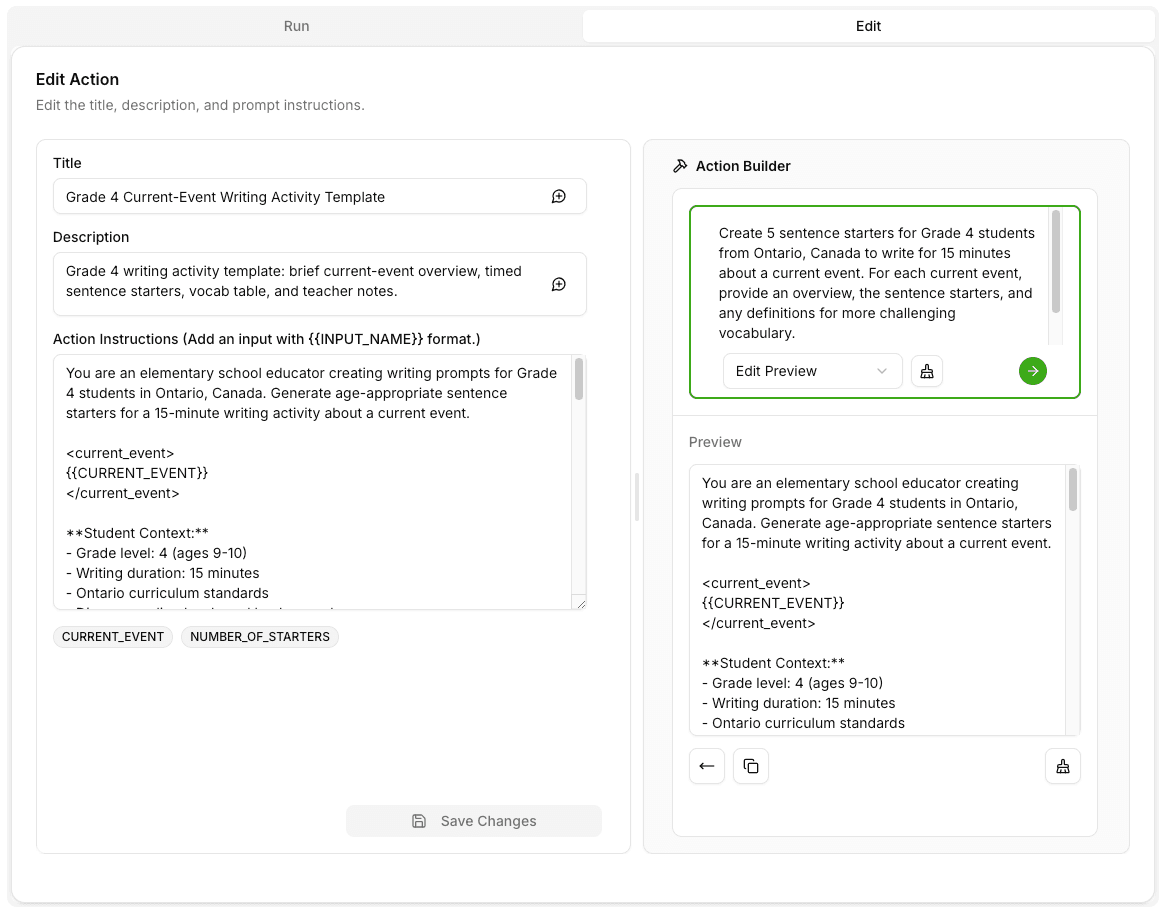
Write the prompt once with the guided Action Builder. Add variables for grade level, reading level, IEP accommodations, or language so one Action becomes twenty differentiated versions.

02

Chain into a Designflow

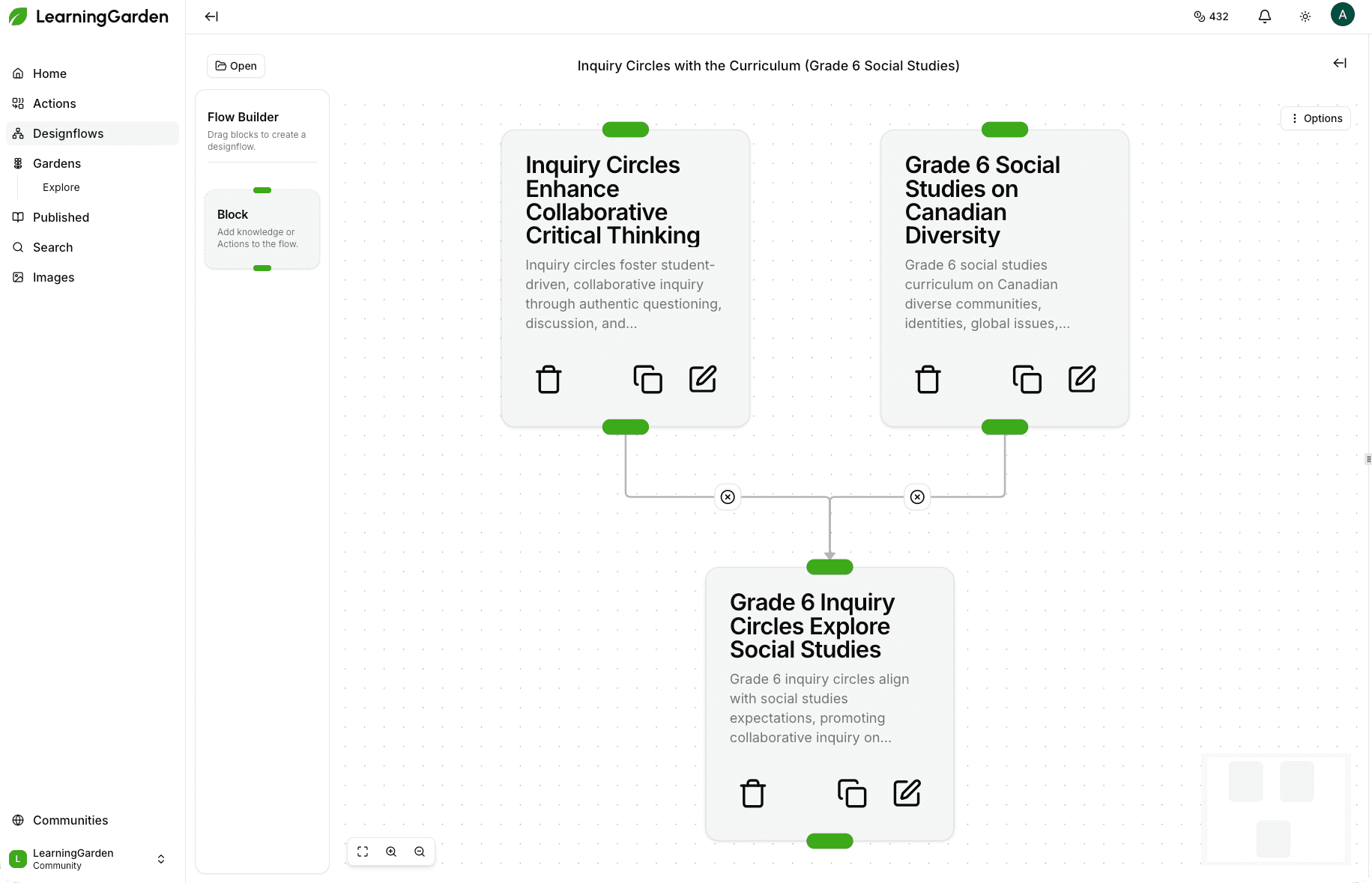
Drag Actions onto a visual canvas to model a unit, lesson, or weekly routine. Go from unit outline to lesson plan to rubric to parent-facing summary in one workflow.

03

Publish to your Garden

Share your best work with your grade-level team and pull in what they’ve already vetted. Your prompts stop living in a ChatGPT tab you closed.

Inside the workspace

The daily workspace for AI-assisted teaching.

Action Builder — guided form creating an Action with variables for grade level, reading level, IEP accommodations, and language

One prompt. Differentiated versions.

If you’ve never written a “good prompt,” the built-in Action Builder walks you through it with a live preview — so you get expert-level prompts without being a prompt engineer. Variables in every Action mean the same lesson produces an enrichment path and a scaffolded path side-by-side, so every student in every seat gets the lesson that fits them.

Visual Designflow editor — connected nodes for unit outline → lesson plan → rubric → parent email

Visual workflows you can actually share.

Designflows are literal diagrams of your teaching workflow. Chain Actions into a single visual graph that goes from unit outline to lesson plan to rubric to parent-facing summary in one click. Share with other teachers and they follow along your process.

Image Generator gallery + side-docked AI chat panel on a lesson page

A co-worker in the sidebar — and classroom visuals on demand.

An AI chat panel is docked on every page. Ask "make this warm-up easier for my ELLs" while you’re literally editing the warm-up. Generate on-brand, classroom-appropriate images in dozens of styles — anime, watercolor, realistic — for slides, anchor charts, and story prompts, then drop them into tomorrow’s slides.

Key benefits

Everything a teacher actually needs in one tab.
The features that turn LearningGarden from a tool you try once into the workspace you open every morning.
Organized like Drive

Folders, favorites, versions, and a tree view for every Action and Designflow you own. Your best work stops living in a ChatGPT tab you closed.

Co-worker in the sidebar

An AI chat panel is docked on every page. Ask "make this warm-up easier for my ELLs" while you’re literally editing the warm-up.

Grade-team superpowers

Join your school’s Garden and instantly access vetted Actions and Designflows from your teammates. No more "can you send me that prompt?" emails.

Action Builder guides you

If you’ve never written a "good prompt," the Action Builder walks you through it with a live preview — expert-level prompts without being a prompt engineer.

Workflows you can use

Designflows are literal diagrams of your teaching workflow. Save them from a Garden, add your own information and use them in your own lessons.

Images without leaving prep

Generate on-brand, classroom-appropriate images in the style you want. Save them to history and drop them into tomorrow’s slides.

FAQ

Questions teachers ask before they sign up.

Quick answers about privacy, sharing, onboarding, and what it actually takes to build your first Action.

Grow your best ideas

Join LearningGarden today.

Spin up your first Action in under five minutes. Join Gardens that interest you and see what your colleagues are already sharing. Your future self — the one who’s home early — says thanks.

Grade-level Garden showing shared Actions and Designflows from colleagues.